Find the right expert
The expert list narrows by level, research field, and keyword, and offers expert summaries and profile pages. When choosing, do not rely on level or ordering alone—check the research direction, certification status, public profile, and fit with your question.
This page covers finding and comparing experts only. For consultation needs, timing, and service terms after choosing, see Booking and consultation.
Open the expert list
- Sign in to MatwingsVenus® and select Expert consultation on the left of the agent workbench.
- Confirm the page shows the Expert list and Support-recommended expert.
- Narrow progressively with level, field, keyword, and sorting controls.
Each card may show the expert's name, level, field tags, a summary, Book a consultation, and View profile. The number shown changes with filters.
Filter by level
The top of the list offers:
- All
- Senior
- Intermediate
- Junior
Choosing a level updates the list immediately and shows the count on the right.
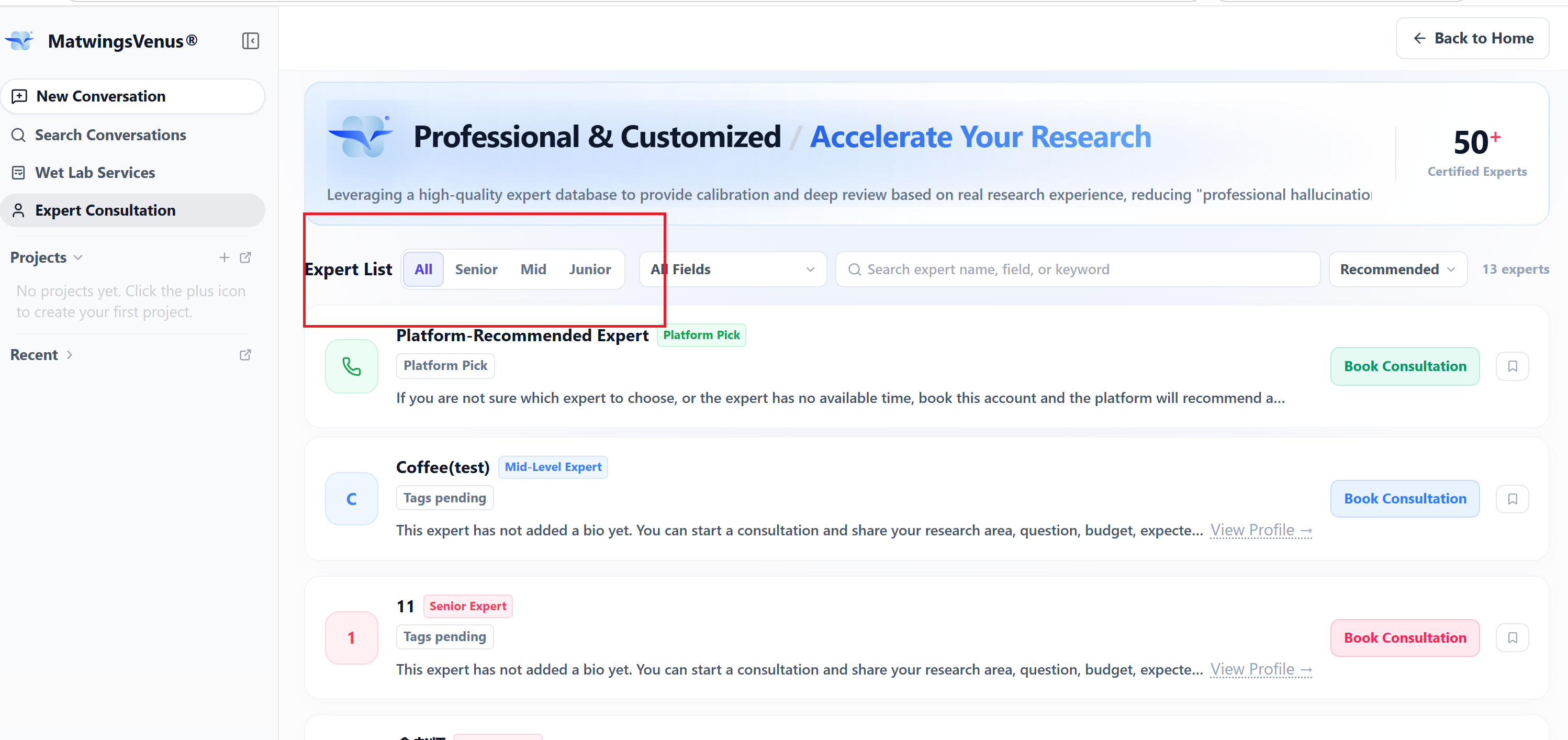
In the screenshot, choosing Senior shows 9 experts on the current page; the count changes with the expert pool and other filters and should not be treated as fixed.
Levels narrow the range but do not by themselves indicate fit. Continue through the summary, field tags, and profile—especially whether the expert's experience covers your subject, methods, and R&D stage.
Filter by research field
To the right of the level options is the All fields dropdown. Choosing the field closest to your question combines with the current level and keyword filters.
To pick a field, first place your question in a main direction:
| Your question | Experience to check first |
|---|---|
| Reviewing a protein design or engineering plan | Protein engineering, structural biology, computational design, or related applications |
| Antibody discovery and engineering | Antibody discovery, affinity maturation, drug evaluation, or immunology |
| Enzyme mining and catalysis optimization | Enzyme engineering, biocatalysis, industrial conversion, or high-throughput screening |
| Expression, purification, or experimental anomalies | Expression systems, purification, analytical testing, and the sample type at hand |
| Literature, patent, or compliance questions | The technical direction plus patent, regulatory, or industry practice |
These categories organize the question; they are not fixed online options. Actual dropdown names and scope follow the current page.
Some cards may show "field tag pending". In that case, do not judge by the tag alone—check the summary and profile, or use the support-recommended entry.
Search and sort
The search box finds experts by name, field, or keyword. Use short keywords that convey direction, such as:
- antibody
- enzyme engineering
- structural biology
- pathogen biology
-
protein purification
-
Enter one keyword in Search expert name, field, or keyword.
- Wait for the list and count to update.
- If too many results, add level or field filters.
- If none, shorten the keyword or select Clear filters.
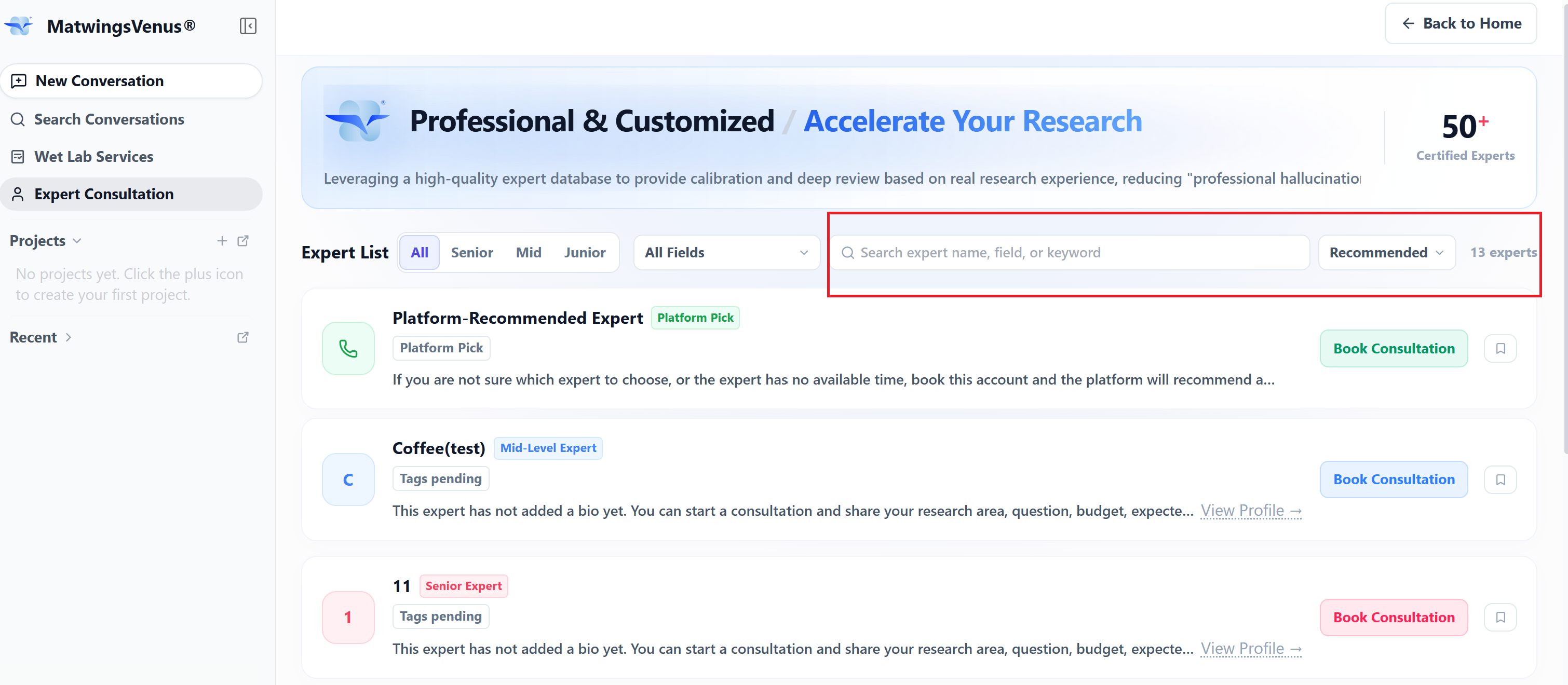
The "antibody" keyword in the screenshot is a demo filter. When a keyword matches nothing, the page shows "No experts match" with Clear filters. Support-recommended expert remains available for matching requests.
The right of the search box shows the current sort, e.g. Recommended. Sorting adjusts browsing order, not professional fit for your project. After switching sorts, still review each expert individually.
Change one condition at a time
When level, field, and keyword together return nothing, it is hard to tell which is too strict. Clear everything first, then add field, level, and keyword one by one.
Bookmark an expert
Each card has a bookmark button on the right. Select it to bookmark an expert of interest; a solid purple button means bookmarked.
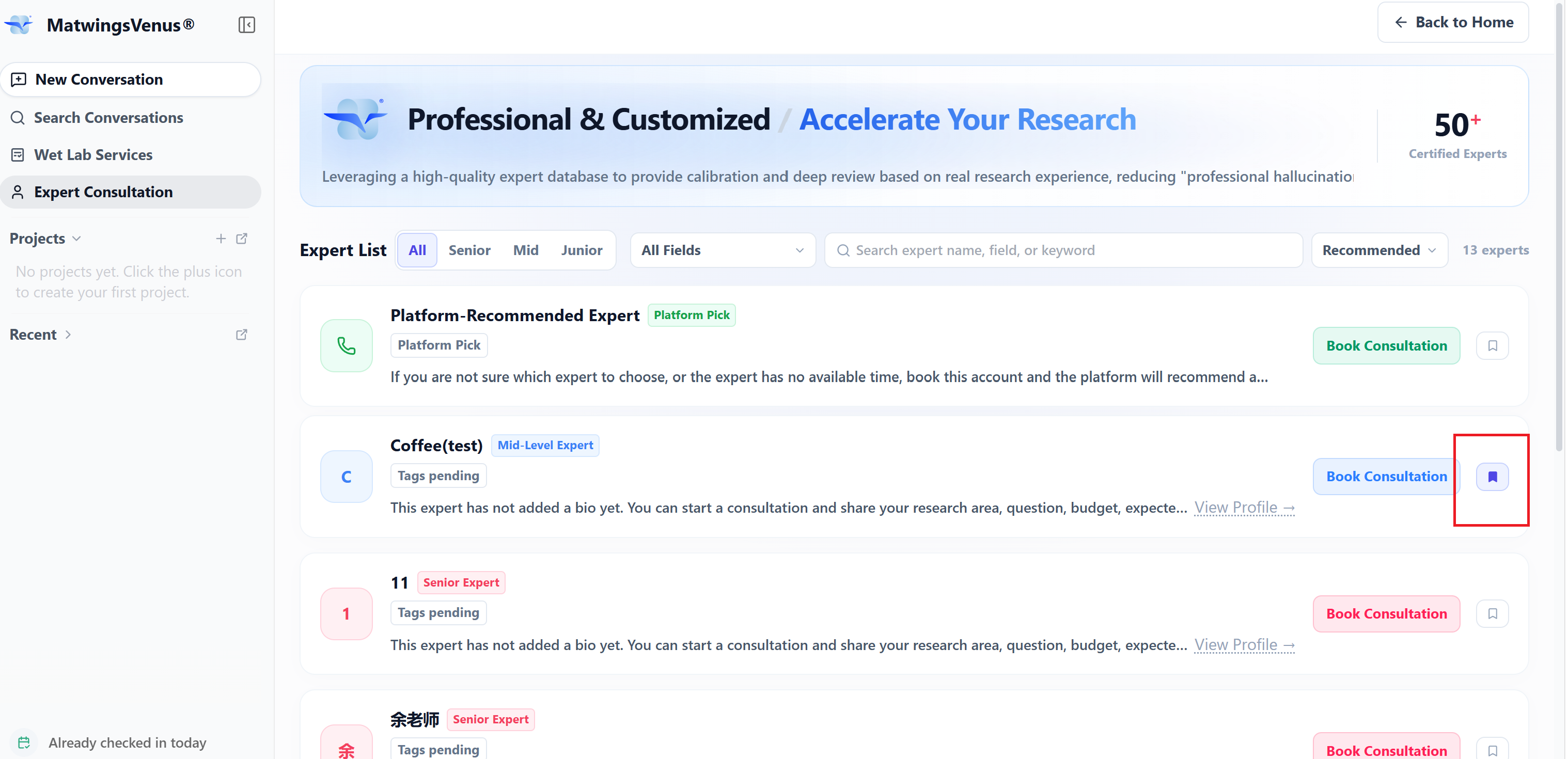
Bookmarked experts move to the top of the list for quick profile access and booking. Support-recommended expert is a fixed platform entry and may still appear above them.
Select the purple button again to unbookmark; the expert returns to its position under the current filters and sort. Changing level, field, or keyword does not replace filters with bookmarks—bookmarked experts not matching current filters may not appear.
Bookmarks only adjust your personal browsing order; they are not a booking and do not mean the expert has accepted a consultation. Before booking, still review the profile and confirm the channel, timing, and fees.
View an expert's profile
View profile on a card opens the expert's record without booking.
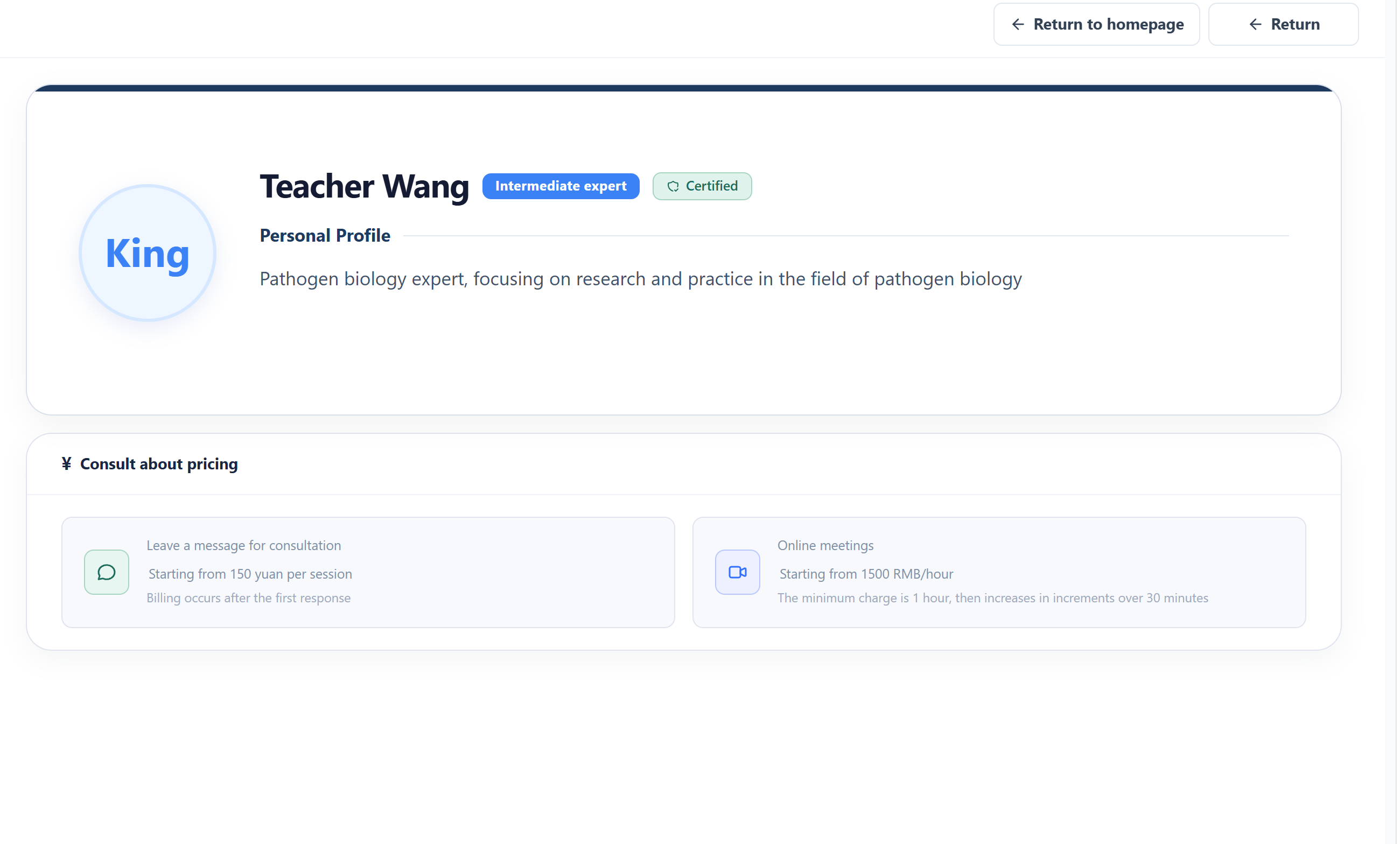
The profile may also show current consultation channels and pricing. Prices and terms may change—the live booking page governs, and this manual records no fixed amounts.
When comparing experts, check:
- Public research directions cover your question.
- The practical experience in the summary matches your task type.
- The expert is currently bookable on the page.
- The consultation channel suits the complexity and volume of material.
- Price, duration, and service notes are acceptable.
Back returns to the list. Viewing a profile or returning does not create a booking.
Certification status is not a result guarantee
Certified reflects the status shown on the platform page; it does not mean fit for every research question and is not a guarantee of consultation outcome, experimental results, or delivery.
Use the support-recommended expert
The first item in the list is Support-recommended expert. Per the page, when you are unsure whom to choose or experts are unavailable, you can book this account and the platform will help recommend a suitable expert.
Good cases for support recommendation:
- The question spans several research fields and no single category fits.
- Field tags are not enough to judge fit.
- Suitable experts currently have no availability.
- You need a mix of plan review, experiment guidance, and project delegation.
- Search and filtering still found no suitable expert.
Before using support recommendation, prepare:
- A one-sentence statement of the subject and current problem.
- The type of expert support you want.
- Existing material and completed analysis or experiments.
- Timing requirements and your available windows.
- Technical routes to avoid or other constraints.
Book a consultation opens the follow-up flow. Before filling in and confirming the request, read Booking and consultation.
Troubleshooting the search
| Situation | How to check |
|---|---|
| Expert count drops suddenly | Check whether level, field, and keyword filters are all active |
| Search returns nothing | Shorten the keyword, use a more general direction, or select Clear filters |
| Field tags incomplete | Open the profile for the summary, or use the support-recommended expert |
| Several experts all look suitable | Compare research direction, task experience, channel, and current availability |
| Found experts but cannot decide | Write down your three most critical questions, then judge whose experience is most directly relevant |
| No suitable availability | Return to the list for other experts, or use the support-recommended entry |
Do not decide from the list page on name or level alone
The expert list is for discovering candidates. Before booking, continue to the profile and confirm scope, timing, fees, material, and expected output on the later pages.