Protein expression
The protein expression service continues from an existing gene synthesis order to configure the expression system, vector, and induction conditions, and submits small-scale expression and characterization requests. The current online page offers no direct entry without a source order.
Open protein expression
- After signing in, open wet-lab services from the left of the agent workbench.
- Find Protein expression.
- Check whether the Continue from gene synthesis button is available.
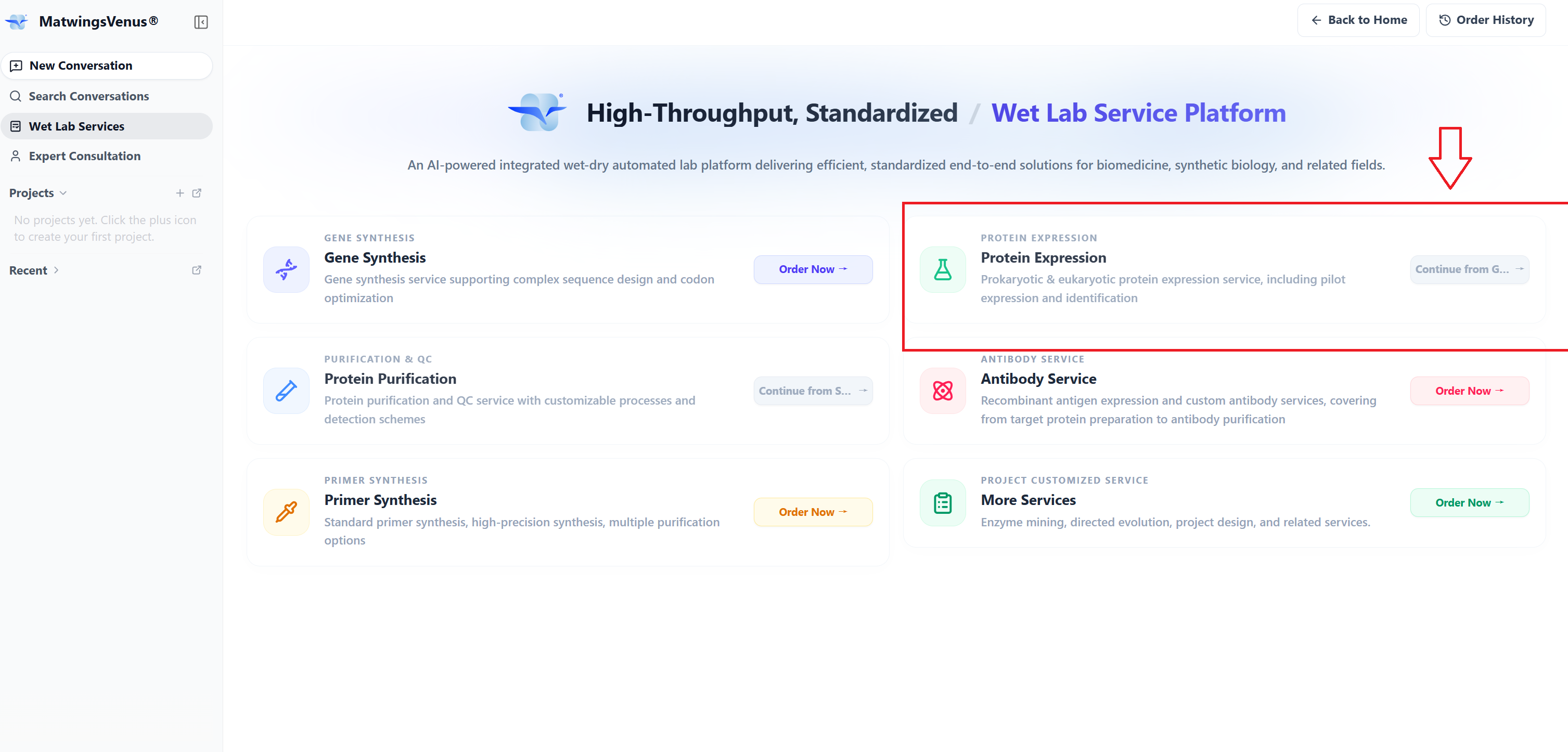
When the current account has no qualifying order, the button is disabled and the page prompts:
Complete gene synthesis first
This means expression needs an upstream relationship with a gene synthesis order in the platform; it cannot be created from a blank form.
Source order requirements
Before continuing, check that the gene synthesis order:
- Belongs to the current account or organization.
- Has reached a status the page allows to continue into expression.
- Matches this task's target sequence, vector, and expression host.
- Has confirmed construct and tag information.
- Provides upstream material and delivery forms that support expression work.
Without an available order, complete gene synthesis first. Do not fabricate a gene synthesis order just to unlock the expression entry.
Select the source order
Once a source order qualifies:
- Select Continue from gene synthesis on the wet-lab services home page.
- Find the target order in the source order list.
- Verify order number, target sequence, vector, host, and status.
- Select the correct order to enter the expression form.
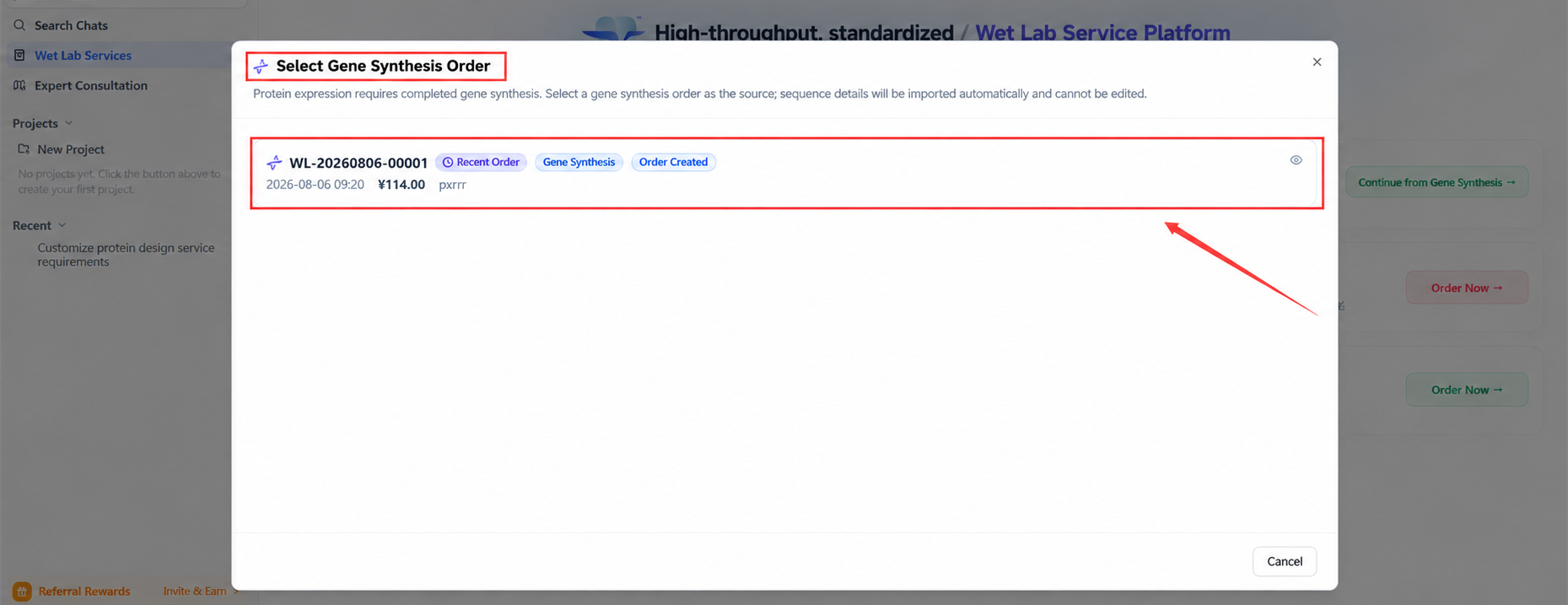
Similarly named orders may carry different sequence versions, tags, or vectors—do not pick by creation time alone.
Before you start
| Information | What to prepare |
|---|---|
| Source order | Gene synthesis order number, status, and delivered contents |
| Target sequence | DNA or amino acid sequence, name, and version |
| Expression system | Host, vector, resistance, and tags |
| Expression scale | Small-scale volume or the culture volume the page asks for |
| Induction conditions | Temperature, inducer, concentration, and other conditions |
| Assay requirements | Expression level, solubility, molecular weight, or other characterization |
| Delivery requirements | Sample form, quantity, storage, and shipping conditions |
| Special constraints | Secretion, low temperature, light protection, or treatments to avoid |
Expression outcome depends on sequence, host, vector, induction, and sample handling. Define the experimental goal and acceptable evaluation criteria before submitting.
Confirm the source sequence
After selecting a gene synthesis order, the page syncs or brings in the corresponding sequence and construct information.
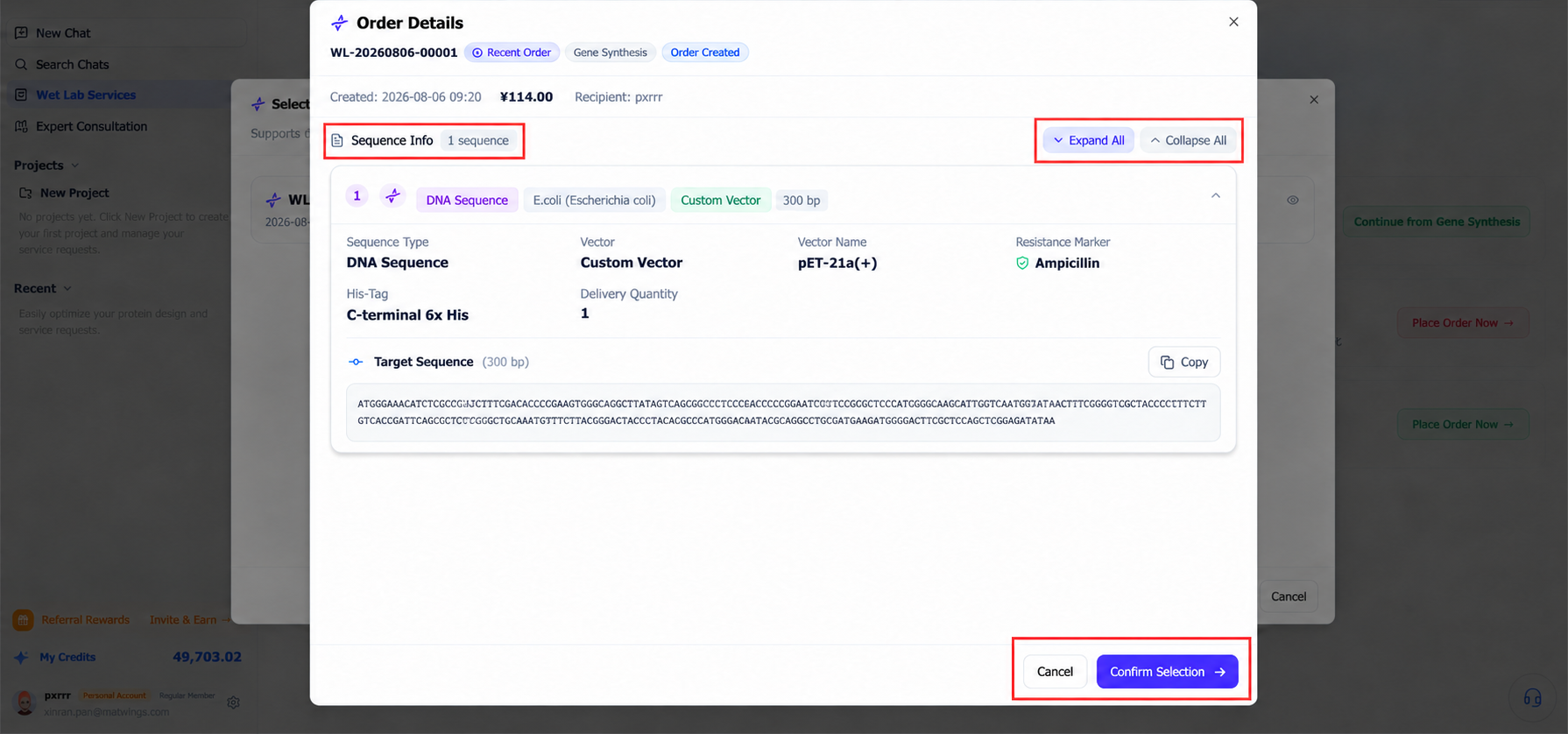
Check that the source order is right—information auto-filled from it still needs manual review. If something is wrong, go back to the upstream order; do not quietly override a wrong sequence in later notes.
Understanding reading frames and CDS
Double-stranded DNA has six possible reading frames: +1, +2, +3 on the forward strand and -1, -2, -3 on the reverse complement. The number marks which base the reading starts from in that direction, translating codon by codon.
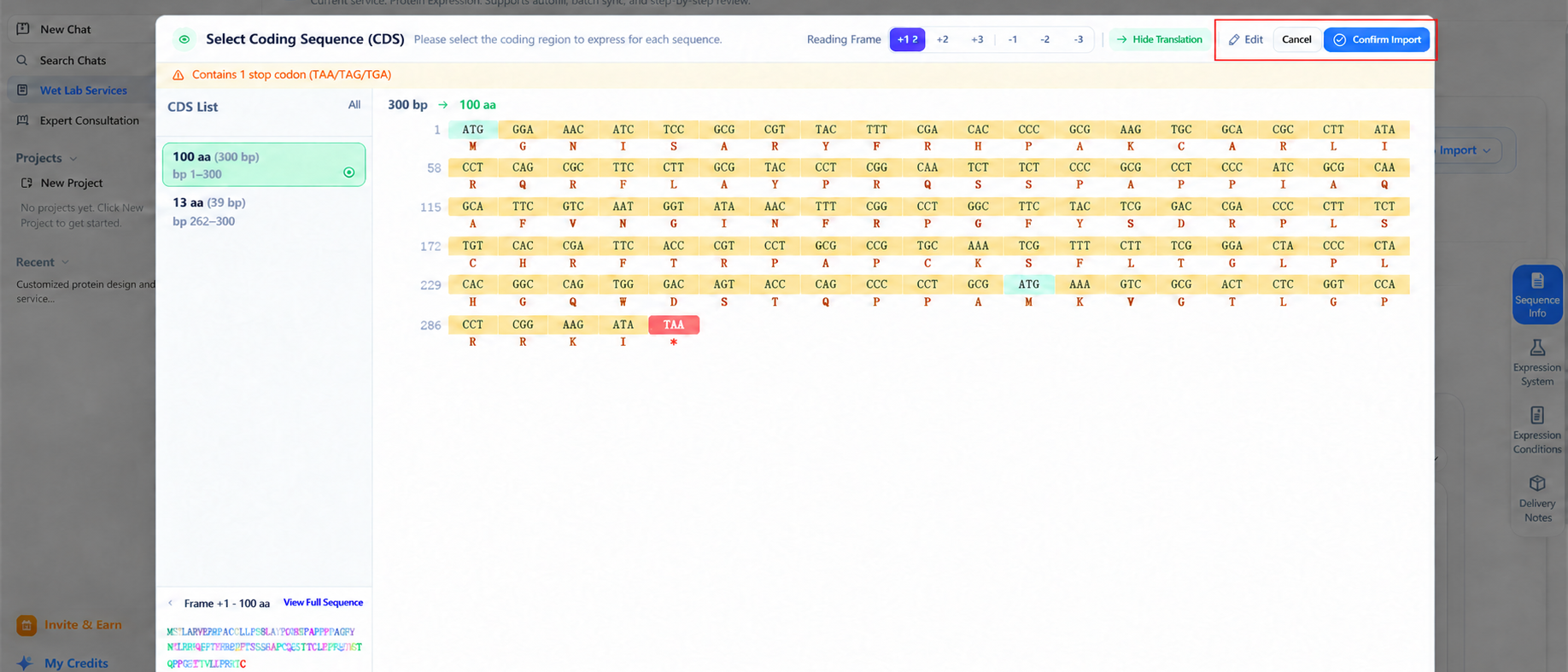
Switching reading frames only changes how coding regions are displayed and filtered; it never modifies the DNA in the source order. If the upstream construct is explicitly a forward, start-at-first-base complete CDS, +1 is usually the first frame to check, but the final choice must match the original sequence design file.
Configure the expression system
Configure from the options the page provides:
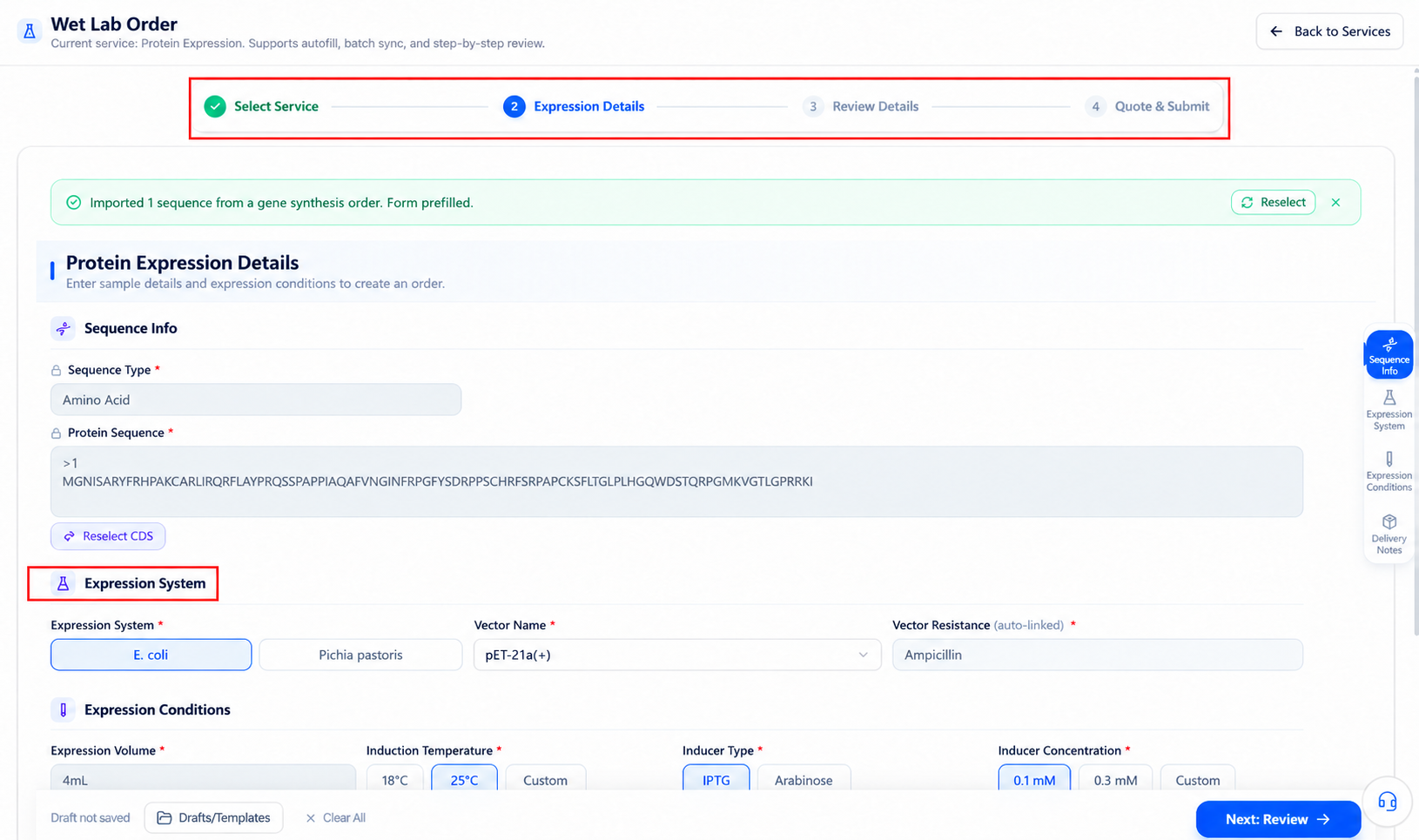
When choosing a system, consider:
- Whether the protein needs complex folding or post-translational modifications.
- Whether it contains disulfides, transmembrane regions, or signal peptides.
- Whether tags ease later characterization and purification.
- Compatibility among vector, resistance, and host.
- Whether the upstream gene was codon-optimized for this host.
Do not treat page defaults as a platform recommendation for your protein.
Set scale and induction conditions
Available fields follow the current source order and expression system.
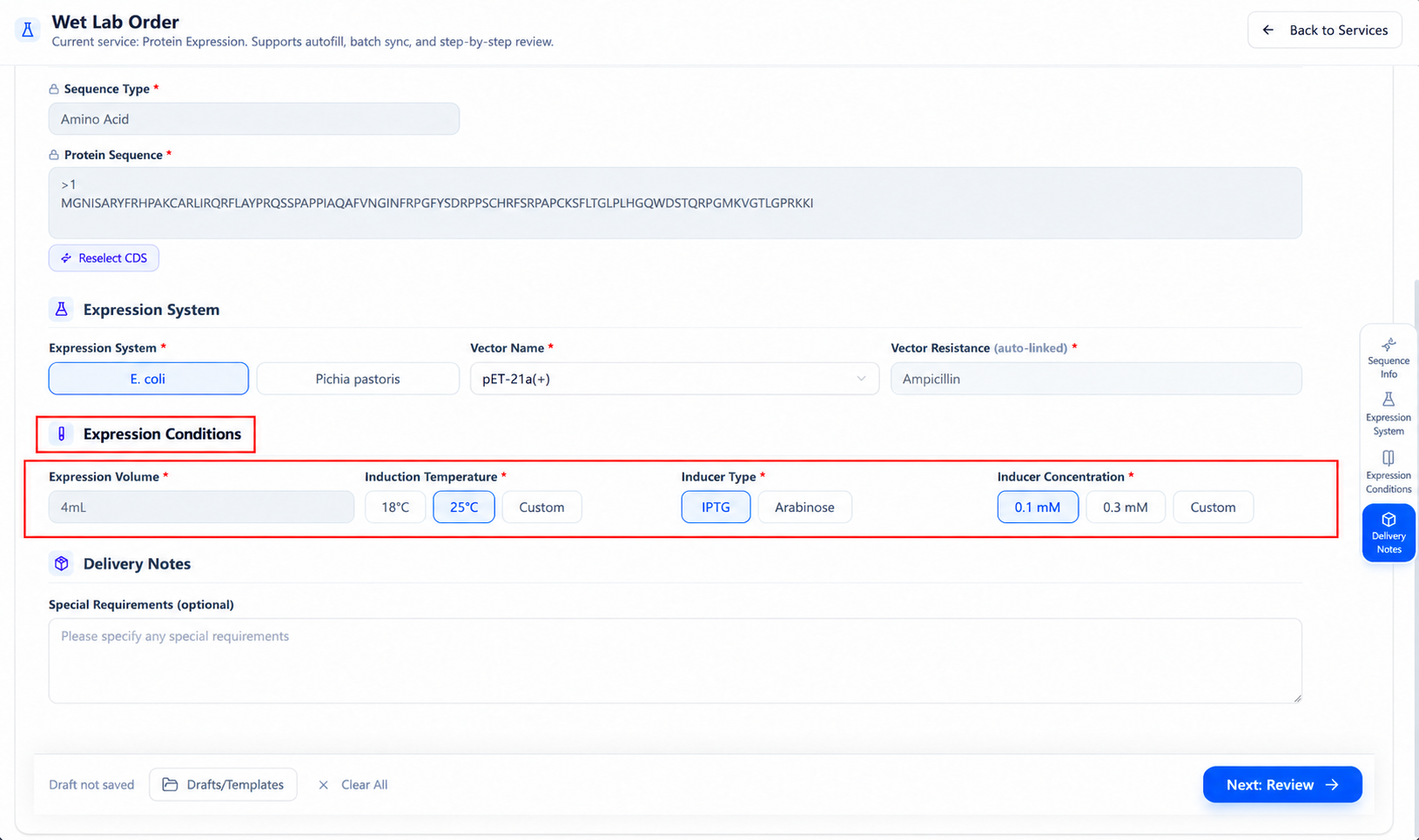
Culture and induction conditions differ by system. After switching hosts, re-check every field—do not carry over temperatures, inducers, or concentrations from another system.
If you have prior experience, note it in remarks:
- Hosts, vectors, and tags already tested.
- Expression temperature, induction conditions, and culture scale.
- Total expression, soluble expression, or inclusion body outcomes.
- Known degradation, aggregation, or toxicity issues.
- Failed conditions the platform should not repeat.
Enter information confirmation
After completing all required fields, select the page's next-step button to enter confirmation.
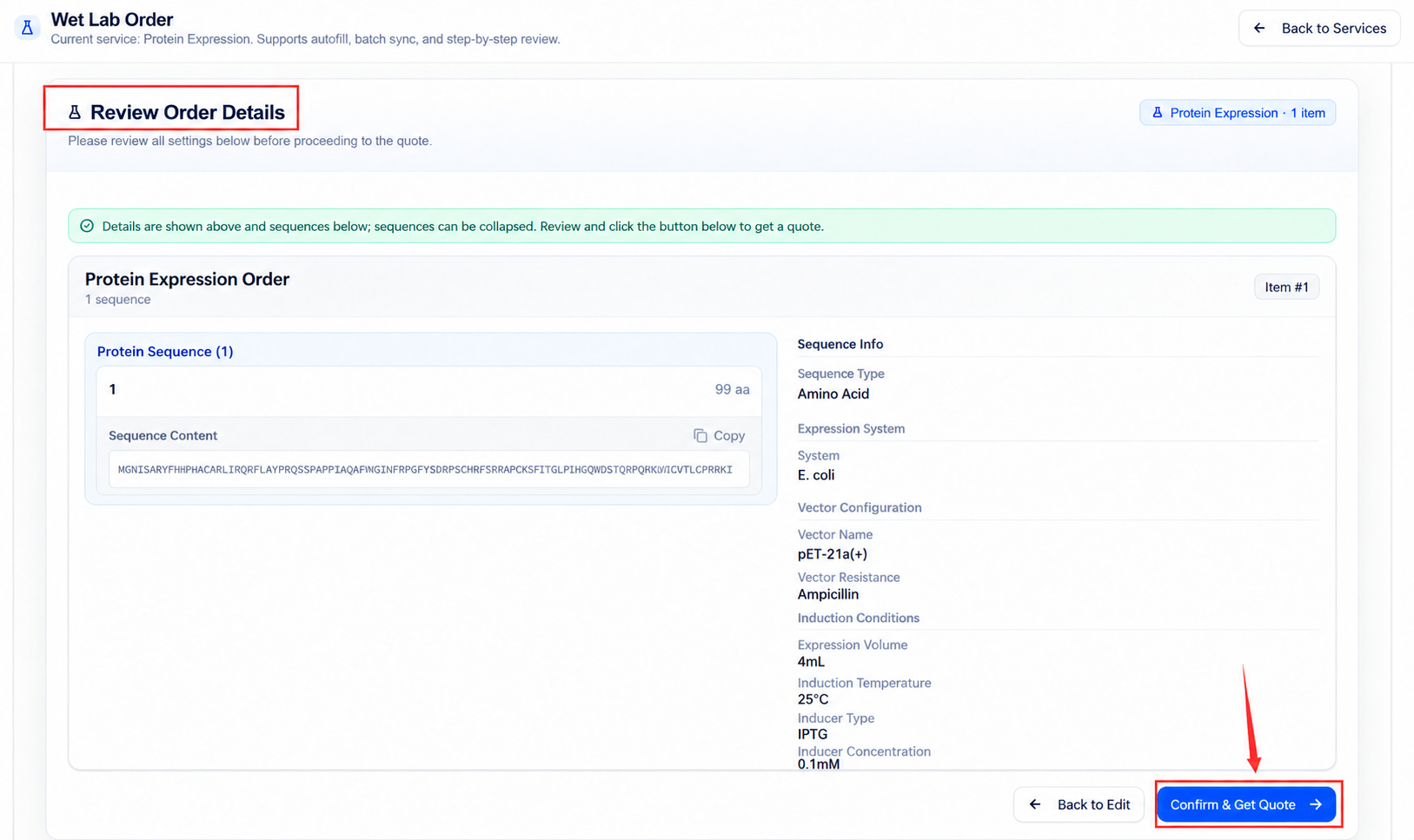
At confirmation, check:
- The source order and target sequence correspond.
- Host, vector, resistance, and tags match.
- Culture volume, temperature, inducer, and concentration are complete.
- Assay methods and success criteria are clear.
- Delivery contents, storage conditions, and notes are correct.
- Information needed for later purification is reflected.
Return and fix problems before entering the quote.
Quote and submission
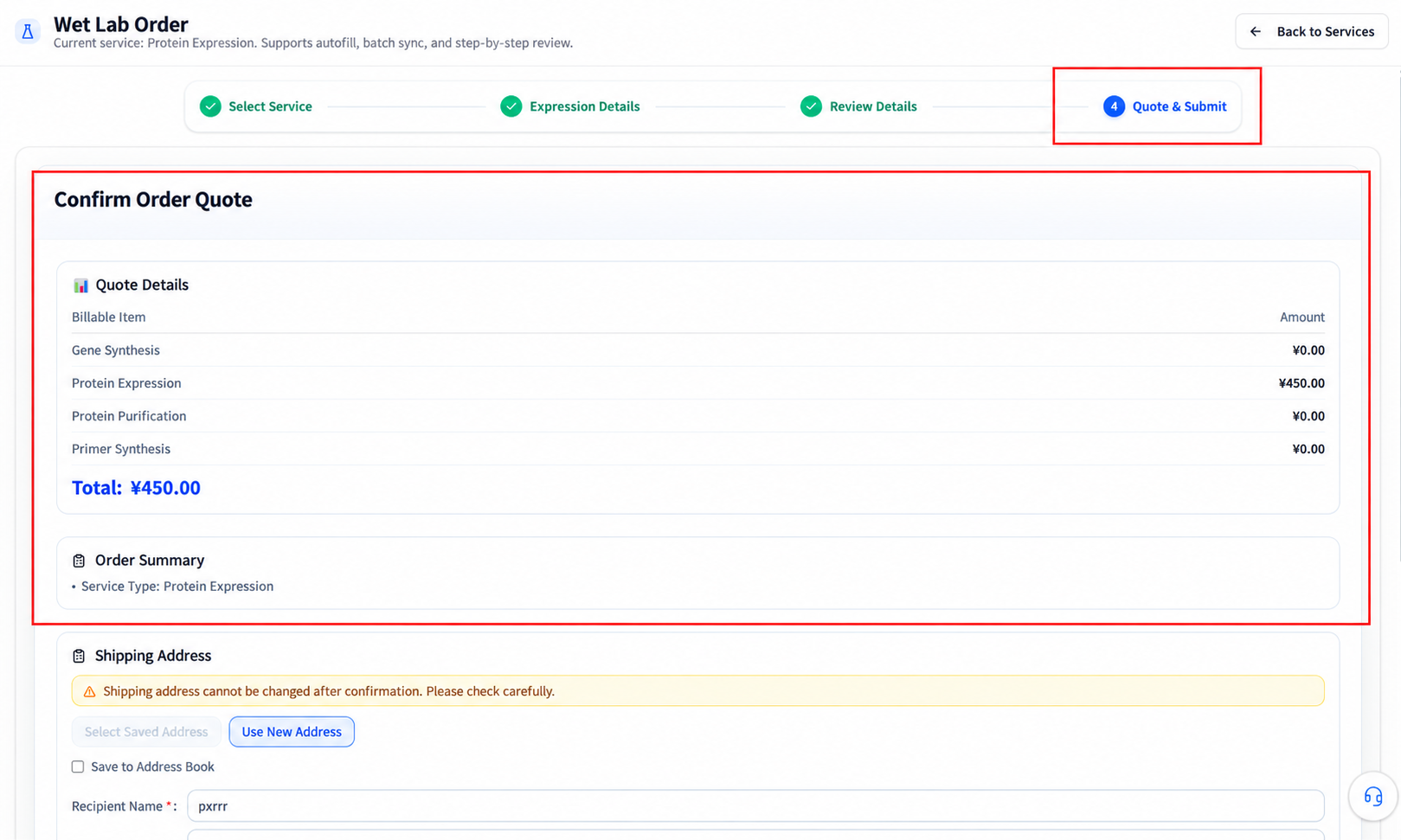
System, scale, assays, and special handling all affect the quote and timeline. Actual service scope, price, and delivery time follow the final quote and mutual confirmation.
Submission is not a promise of expression success
Whether the protein reaches the target expression level and solubility depends on sequence, construct, host, and conditions. Order submission and page defaults do not guarantee outcomes; acceptance criteria should be settled before confirming the quote.
When no source order is available
If the button is disabled:
- Check whether the current account has completed gene synthesis orders.
- Confirm the upstream order's status in order history.
- Confirm the order belongs to the current account or organization.
- Complete gene synthesis first, then return to the expression entry.
- If you have an external construct or cannot continue from a platform order, use other custom services or contact the platform.
Troubleshooting the form
| Situation | How to check |
|---|---|
| Continue from gene synthesis unavailable | Check for gene synthesis orders meeting the status requirement |
| Source order list empty | Check account, organization, and gene synthesis order status |
| Synced sequence or vector is wrong | Return to the source order to verify version, vector, tags, and host |
| Hard to choose an expression system | Provide protein properties, prior experience, and intended use; confirm with the platform |
| Induction conditions unsuited to the host | After switching systems, re-check all culture and induction fields |
| Cannot enter confirmation | Check all required fields, units, and the source-order link |
| Need to use an existing external construct | Use other custom services or confirm intake with the platform |
For status and progress after an expression order is created, see Order workflow and status.