Image generation scope
The agent can generate data analysis figures and scientific schematics from data files or text descriptions. When submitting, state what the data means, the conclusion to convey, the figure type, and output requirements; after generation, verify values, statistics, structural relationships, and labels.
What can be generated
Data analysis figures
| Scenario | Common figures |
|---|---|
| Basic statistics and distributions | Bar, line, scatter, box, violin, and histogram plots |
| Statistical tests | Significance-annotated plots for t-tests, ANOVA, and non-parametric tests |
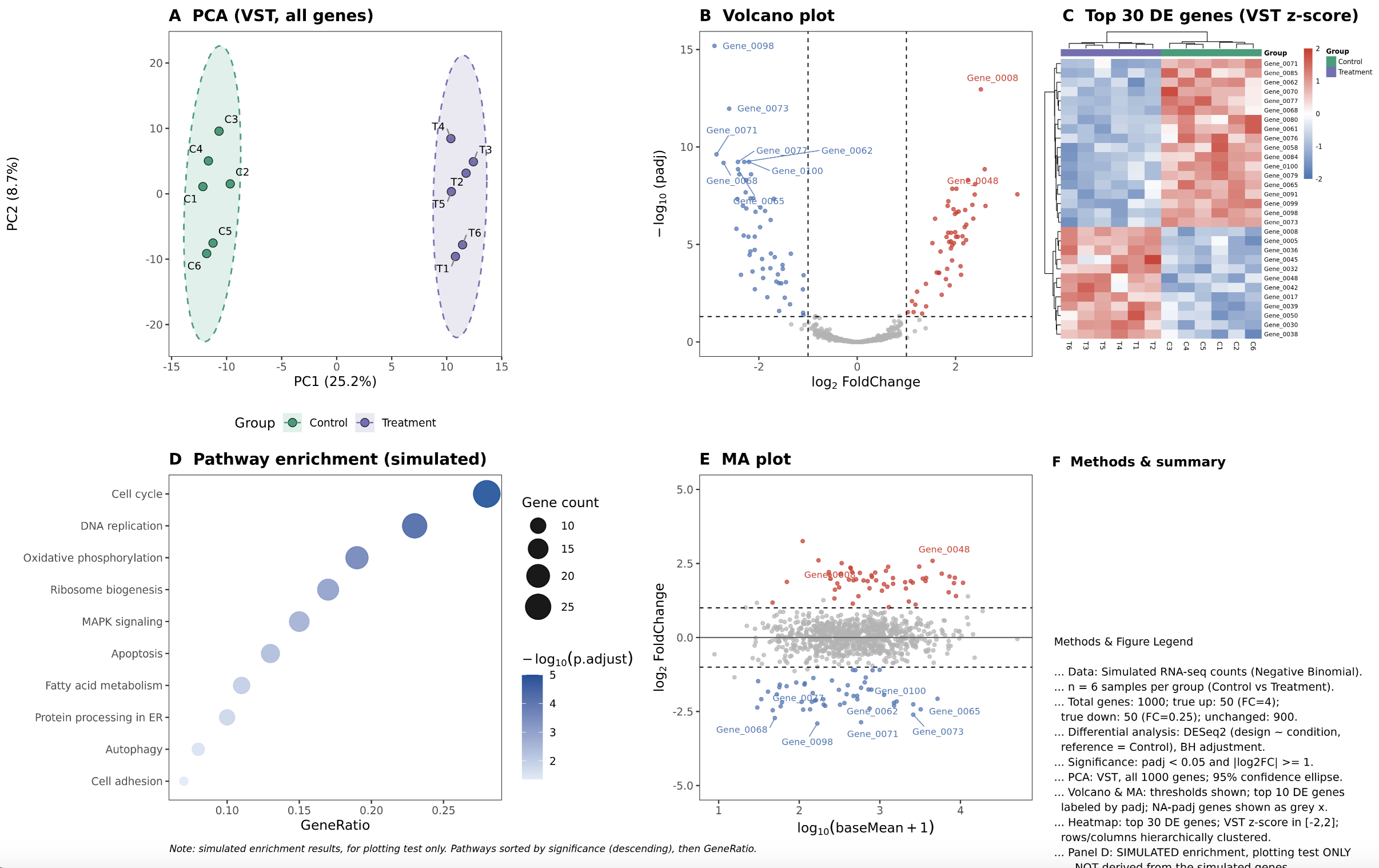
| Transcriptomics and other omics | PCA, volcano, heatmap, enrichment bubble, and MA plots |
| Single-cell analysis | UMAP, t-SNE, DotPlot, FeaturePlot |
| Microbiome analysis | Alpha/Beta diversity, PCoA, taxonomic composition stacks, Sankey |
| Genome analysis | Mutation waterfall (oncoprint), Circos, gene structure, genome browser tracks |
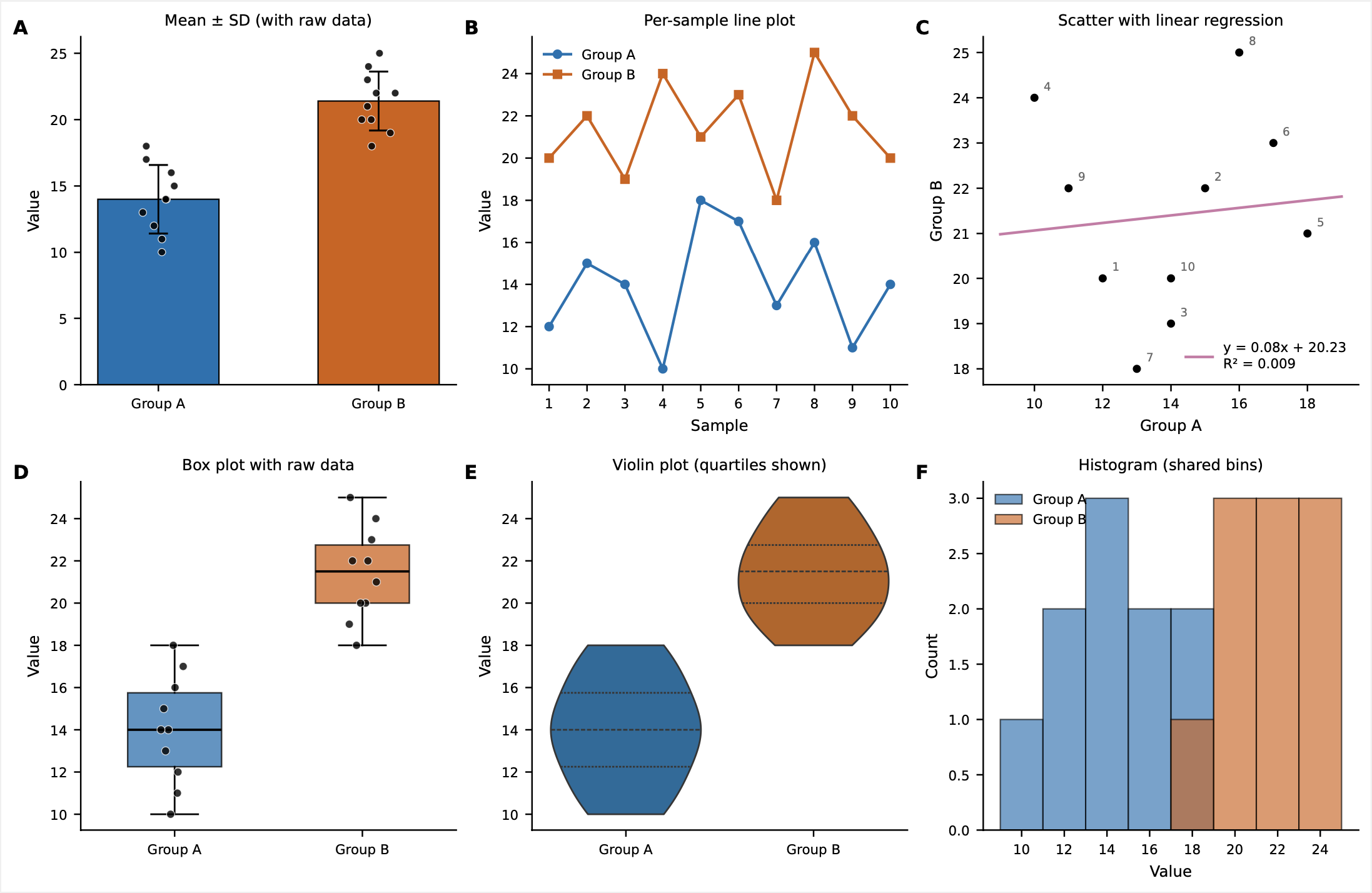
Values, error bars, groupings, significance marks, and thresholds in the figures depend on the input data and analysis methods. For formal reports, do not ask only for "a volcano plot" or "compare two groups"—state the statistical methods and what the figure must retain.
Scientific schematics
The agent can also organize and draw:
- Signaling pathway, gene regulation, and drug mechanism diagrams.
- Cell environments, organ cross-sections, antibody binding, and similar schematics.
- Protein structures, binding pockets, ligand interactions, and surface potentials.
- Chemical figures: 2D molecular structures, functional group annotation, and reaction schemes.
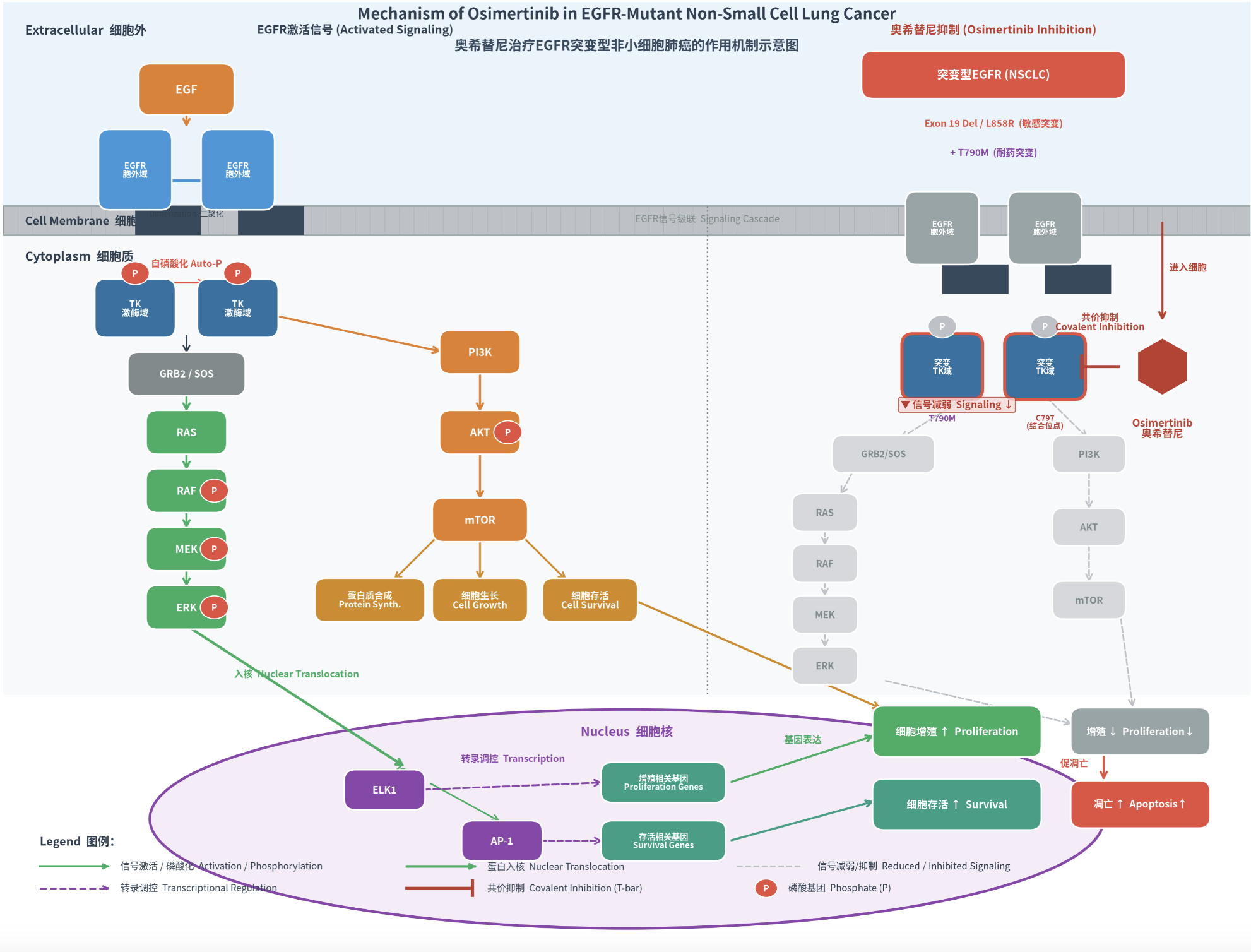
Complex schematics are good for organizing mechanism relationships and drafting, but they do not replace professional databases, structure drawing software, or human scientific review. For interactive adjustment, measurement, and export of 3D protein structures, see PyMOL protein structure visualization.
Submit an image generation task
Use your own data
- Start a new conversation in the agent workbench.
- Select the attachment button and upload the data table or supporting files.
- Explain each file, worksheet, and field in the question.
- State the figure type, grouping, statistical methods, colors, annotations, and output format.
- Send the task and wait for processing and results.
- Download the figure and related files; verify data, legend, axes, and statistical conclusions.
For uploading details, see Ask questions and upload files.
When you have no raw data
The agent can draft layout sketches from text or demonstrate figures with simulated data, but simulated data is not a research result. To express real experimental results, upload real data or provide a verifiable source.
Text description only
For mechanism or scientific schematics, list in the question the objects to appear, their relationships, and the conclusion to emphasize. For complex relationships, first ask for a node-and-edge list, confirm it, then generate.
For example:
Draw an EGFR signaling and drug inhibition schematic. On the left, show ligand binding, EGFR dimerization, and the downstream RAS–RAF–MEK–ERK and PI3K–AKT–mTOR pathways; on the right, show weakened signaling under drug inhibition. Use a white background, landscape layout, and colorblind-friendly palette; label all nodes bilingually, and list nodes and connections for my confirmation before drawing.
Edit an existing image
To modify an existing image, upload or reference it and describe the changes—replacing elements, editing annotations, adjusting layout, or changing colors. Before submitting, check the image requirements the page shows: file type, size, and minimum dimensions, plus content compliance. If requirements are not met, adjust per the prompt and resubmit.
Some editing modes may be unavailable or produce unexpected results. When rules are unclear, the page display governs.
Write clear requirements
An actionable image request usually contains:
data or subject + figure type + grouping and comparison + statistical method
+ fields to show + layout and colors + text and annotations + output format
Data analysis example
Draw a differential-expression volcano plot from the attached
expression.csv.gene_idis the gene ID,log2FCthe fold change,padjthe adjusted P value. Mark genes with|log2FC| >= 1andpadj < 0.05as significant—red for up, blue for down, gray otherwise; label the 10 genes with the smallest padj. Output a 300 dpi PNG and also return the plotting data table and script.
Mechanism diagram example
Draw a landscape signaling pathway diagram from the attached mechanism notes. It must include the receptor, cell membrane, two downstream pathways, the drug action site, and the final phenotype; use solid arrows for activation and T-bars for inhibition. Do not add relationships unsupported by the attachment. First return the node and connection list; draw after my confirmation.
Pre-submission checklist
- Data files, worksheets, fields, and units are explained.
- Group order, controls, and sample sizes are correct.
- Statistical methods, multiple-testing correction, and thresholds are explicit.
- Axes, error bars, legend, and labels have concrete requirements.
- Whether to also return the plotting script, processed data, or editable files.
- Dimensions, resolution, background, and file format are stated.
Verify the generated results
Data analysis figures
Check at least:
- Sample counts, groupings, and value ranges match the input file.
- Axis names, units, scales, and legend are correct.
- Means, medians, error bars, and significance marks use the intended methods.
- Missing values, outliers, and duplicates were handled sensibly.
- Parameters for clustering, dimension reduction, enrichment, or differential analysis are stated.
If a figure disagrees with the data, ask the agent to re-read the original file and recompute—not to edit numbers on the image.
Scientific schematics
Verify item by item:
- Molecule, protein, gene, and drug names are correct.
- Activation, inhibition, binding, transport, and localization are not reversed.
- Pathway direction, cell compartments, and structural positions match sources.
- Text, abbreviations, legend, and color meanings are consistent.
- No relationships appear that the question did not provide and no reliable source supports.
Chemical figures and complex schematics
2D chemical structures, reaction schemes, complex cell scenes, and text-heavy schematics are prone to bond, atom, spatial, and text errors. Treat results as composition drafts; before use in papers, patents, reports, or experimental decisions, verify them item by item with professional software and reliable sources.
FAQ
| Symptom | Suggested handling |
|---|---|
| Figure type not as expected | Name the figure type and say what the x-axis, y-axis, groups, and each visual element mean |
| Values or sample counts wrong | Ask for a re-read of the original file, listing record counts and processing steps |
| Significance marks wrong | State the test, pairing, multiple-testing correction, and threshold |
| Too much text or typos in the figure | Reduce in-figure text, use numbering with captions, or split into panels |
| Mechanism relations inaccurate | Generate a node-and-edge list first, verify, then draw |
| Figure hard to modify further | Ask for the plotting script, data table, or an editable format alongside the image |
| One image too crowded | Split into subfigures, each answering one question |