PyMOL protein structure visualization
The structure viewer previews 3D structures of proteins, ligands, and complexes, and supports chain and residue navigation, display adjustments, measurement, docking grid setup, and structure export. Before visualizing with PyMOL, upload a structure file or select a structure from existing task outputs; the platform cannot fetch structures from a PDB ID or URL alone. Docking structure files such as .pdbqt are supported as task inputs; you can also describe the desired structure view in the agent workbench, then download the generated structure images or visualization files. Coming from existing task outputs, click View protein 3D structure on an output file to open the complex, receptor, or ligand preview and enter the 3D viewer.
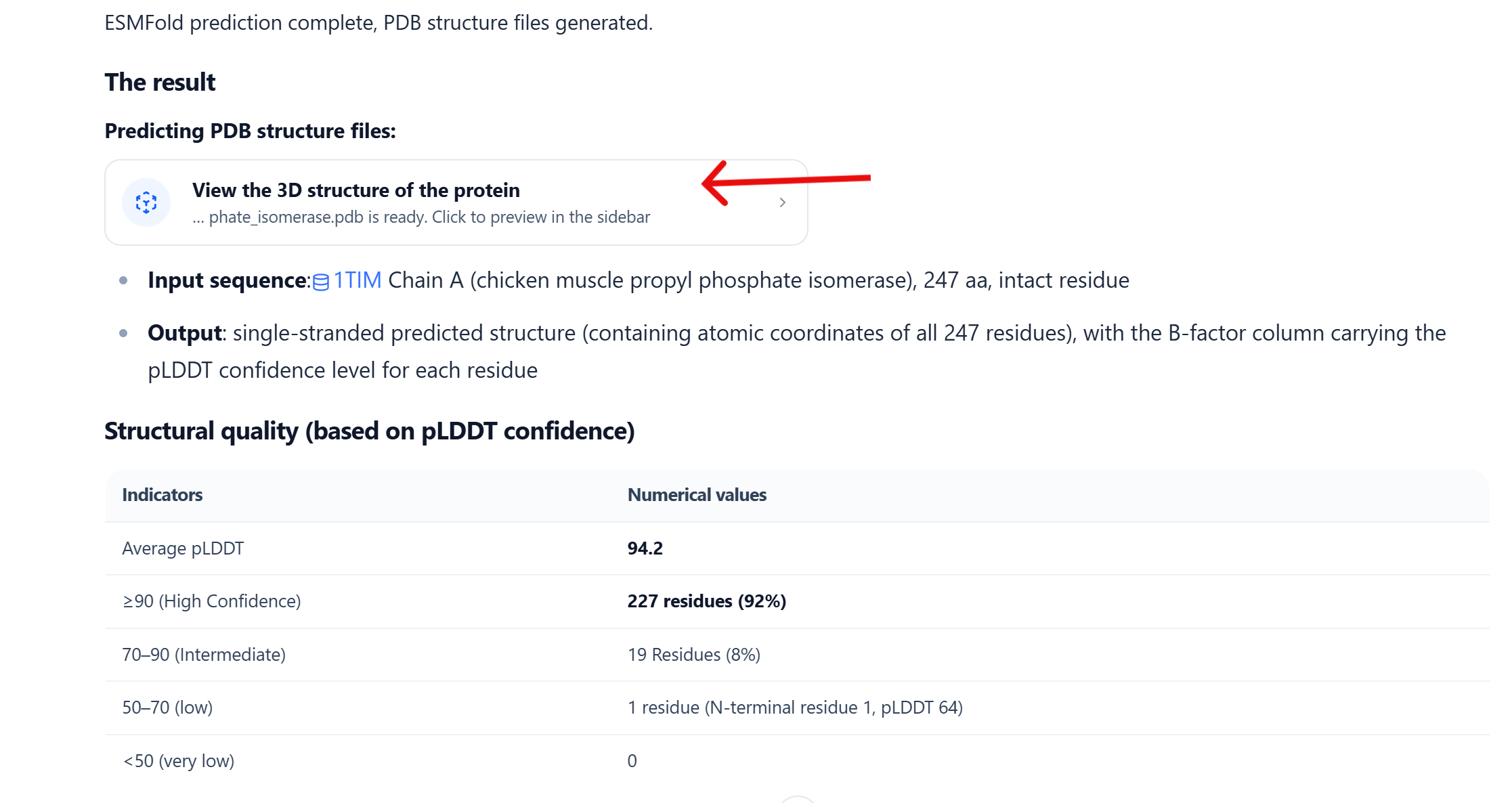
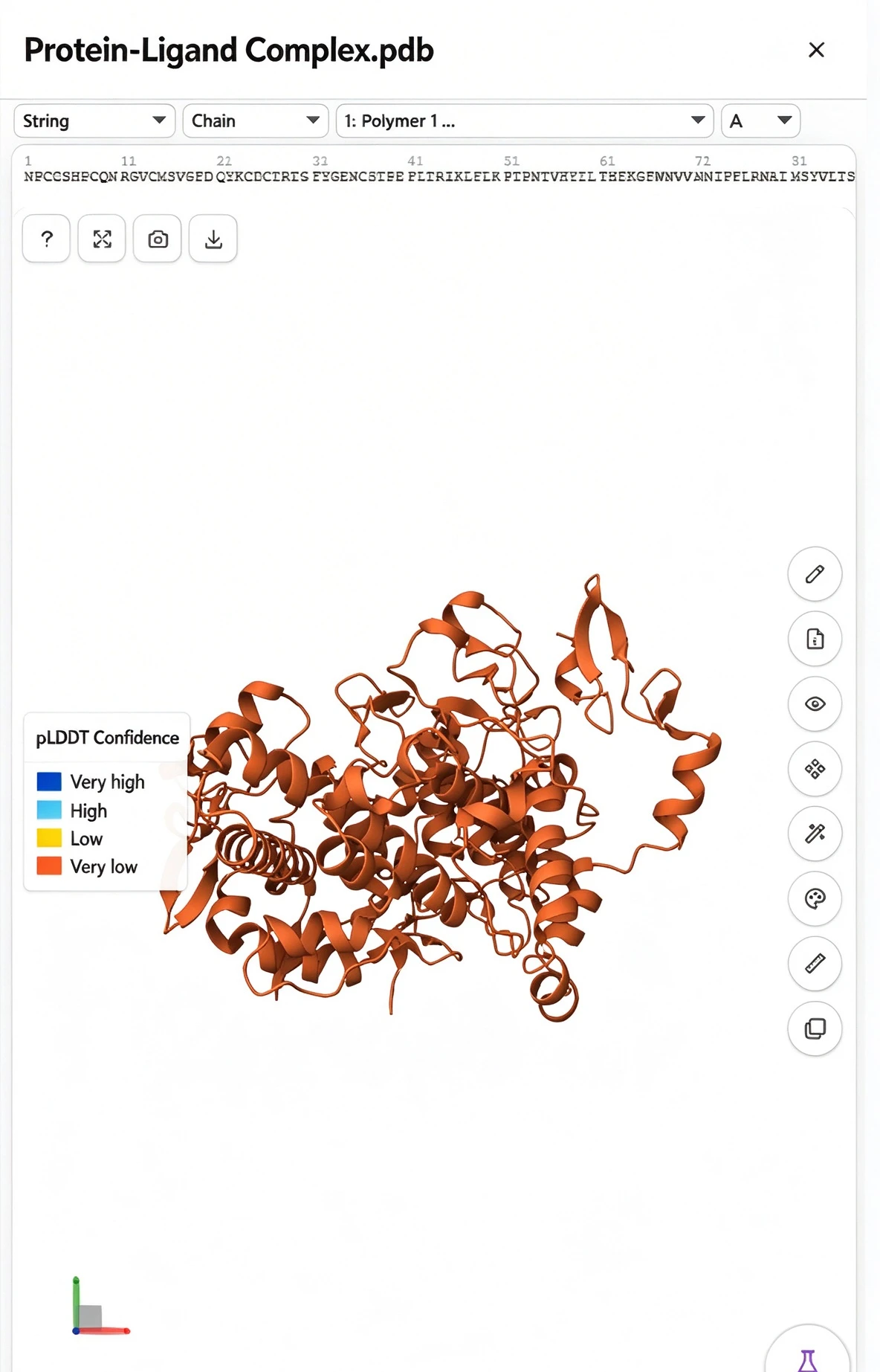
The figure below uses the best-pose complex as an example: click the View protein 3D structure card highlighted in red to open its 3D structure in the file viewer on the right.
Scope of use
Structure views and docking scores are for analysis and presentation; they do not replace structure quality assessment or experimental conclusions. Before relying on important results, verify the original structure files, experimental conditions, and related evidence.
Common operations
| What you want | How |
|---|---|
| View, rotate, zoom | In the 3D viewport, left-drag to rotate, right-drag to pan, scroll to zoom; middle-drag focuses and zooms. Select Mouse & shortcuts for the full guide. |
| Fullscreen, snapshot, download | The Mol* top bar offers fullscreen, snapshot, and download buttons; all buttons have hover tips. Confirm the chains, ligands, labels, and camera before exporting. |
| Locate chains and residues | Select a chain, residue, or range in the top sequence bar; Structure display on the right switches between All and a single chain and can make the bar follow the current chain. |
| Control structure components | Under Components, show or hide Polymer, Ligand, etc.; the A/S/H/L/C buttons in each row perform, show, hide, label, and color. |
| Adjust representation and color | Quick styles switch Cartoon, Spacefill, Surface, or Illustrative; Palettes offer PyMOL, colorblind-friendly, and sequential gradients. Switching representations resets the view and reports Surface computation status. |
| Edit and measure | Select an object in the sequence bar or viewport first, then open Edit display to restyle it; Measure adds distances, angles, or dihedrals. Verify chain, residue, and atom numbering before selecting. |
Schrödinger docking grid
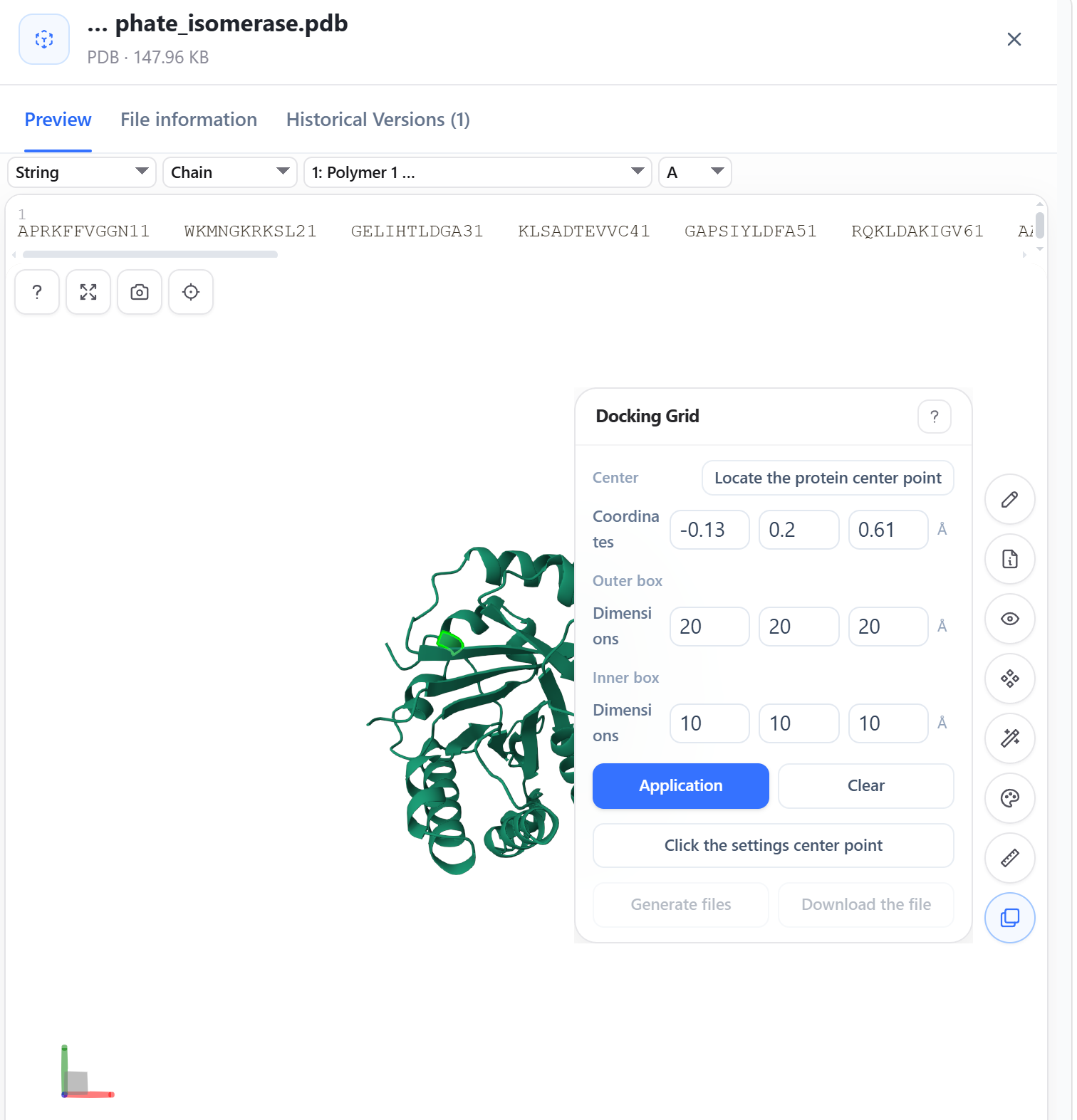
Docking grid in the right toolbar defines and checks the docking search region in the 3D structure.
- Open Docking grid, fill in the grid center and outer/inner box X/Y/Z sizes, or choose Center on protein to snap to the geometric center.
- To center on a specific atom, enter pick mode and click a protein atom in the 3D viewport.
- The grid renders as two wireframes (outer and inner). Click a wireframe to drag it;
Shift + left-dragrestores residue box selection. - After confirming the grid covers the known active pocket, reference ligand, and key residues, select Apply; you can further Generate file and Download file.
A grid is not binding evidence
For known-pocket tasks, set the grid from the co-crystal ligand, key residues, or experimental definition—not the protein's geometric center alone. The grid only bounds the computational search region; it cannot by itself prove the real binding site.
File viewer and side panel
Structures, text, and other outputs open uniformly in the file viewer. The session side panel is a single stack: opening the 3D viewer does not split it, and closing (X) returns one level up. Before opening a structure in the viewer, prepare and upload a structure file or select one from existing outputs; the platform cannot fetch structures from a PDB ID or URL alone.
Example: COX-2–ibuprofen docking complex
This example defines the pocket from COX-2 (PDB: 5IKR) chain A and the cyclooxygenase channel holding the co-crystal ligand. AutoDock Vina returned 10 poses; the best pose scores a computed binding energy of −7.54 kcal/mol.
In the viewer, keep Polymer and Ligand, use Cartoon and Ball & Stick to distinguish the receptor from ibuprofen; then re-check the docking extent with Schrödinger Grid and judge the result with the interaction report, original structure, and experimental data. The binding energy ranks computed poses only and is not an experimental affinity.
For file uploads and docking inputs, see Ask questions and upload files.