Protein purification
The protein purification service continues from an existing gene synthesis or protein expression order to submit purification and QC requests. The current online page has no direct entry without a source order—a qualifying upstream order is required first.
Open protein purification
- After signing in, open wet-lab services from the left of the agent workbench.
- Find Protein purification.
- Check whether the Select source order to continue button is available.
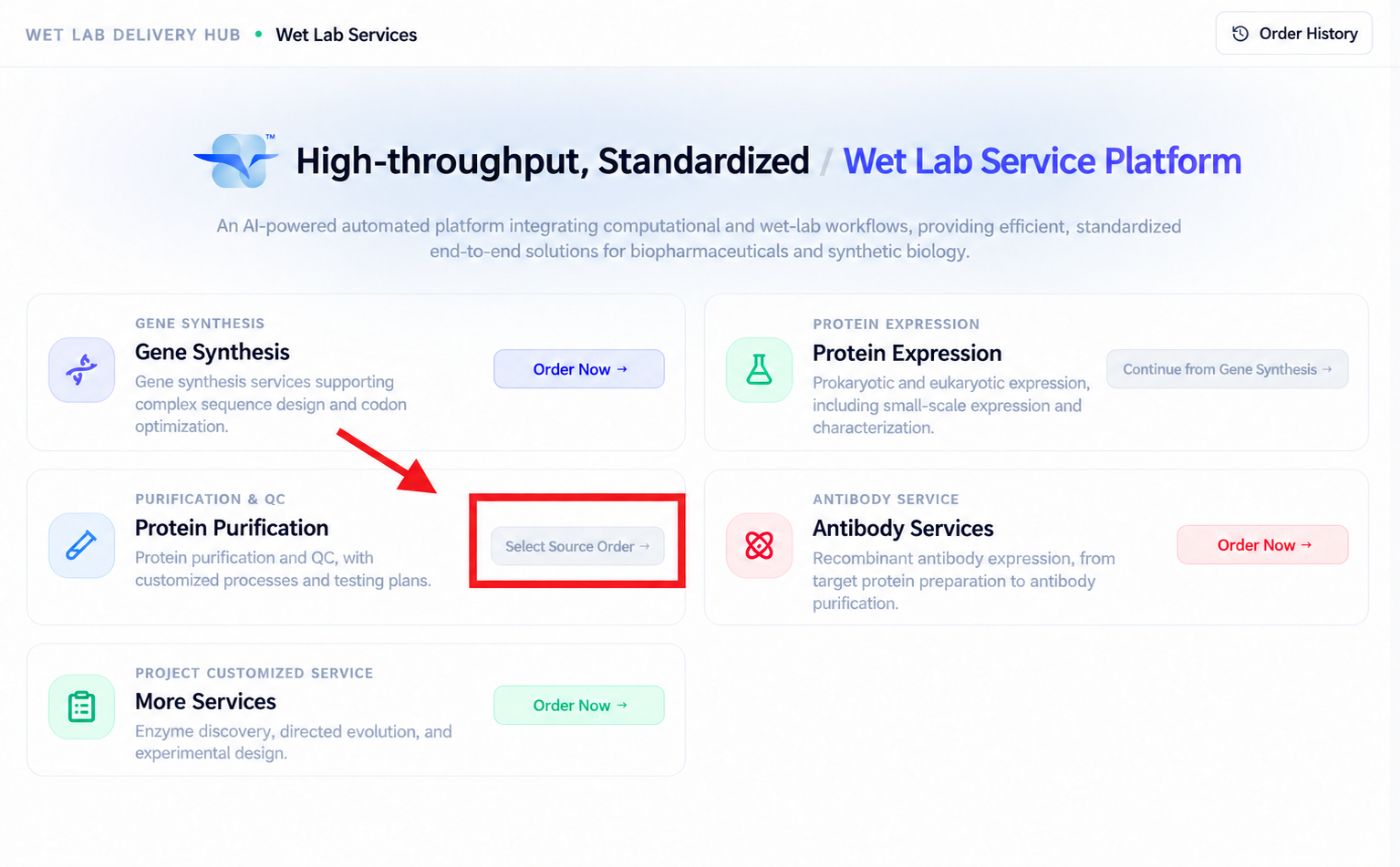
When the current account has no qualifying order, the button is disabled and the page prompts:
Complete gene synthesis or protein expression first
This means you cannot bypass the upstream flow by typing an arbitrary order number, nor create a purification order from a blank form.
Which orders qualify as sources
The online entry currently summarizes the requirement as a completed gene synthesis or protein expression order. Whether continuing is actually possible also depends on the order's current status, target protein, and deliverable material.
Before starting, confirm:
- The source order belongs to the current account or organization.
- It has reached a status the page allows to continue into purification.
- Its gene, protein, tags, and material really are this purification's target.
- The upstream delivery form can enter the purification workflow.
- The source material quantity and quality support the planned purification and QC.
To complete upstream services first, see gene synthesis or protein expression.
Find and select the source order
Once a source order qualifies:
- Select Select source order to continue on the wet-lab services home page.
- Find the target order in the source order list.
- Verify order number, service type, target protein, and status.
- Select the correct order to enter the purification form.
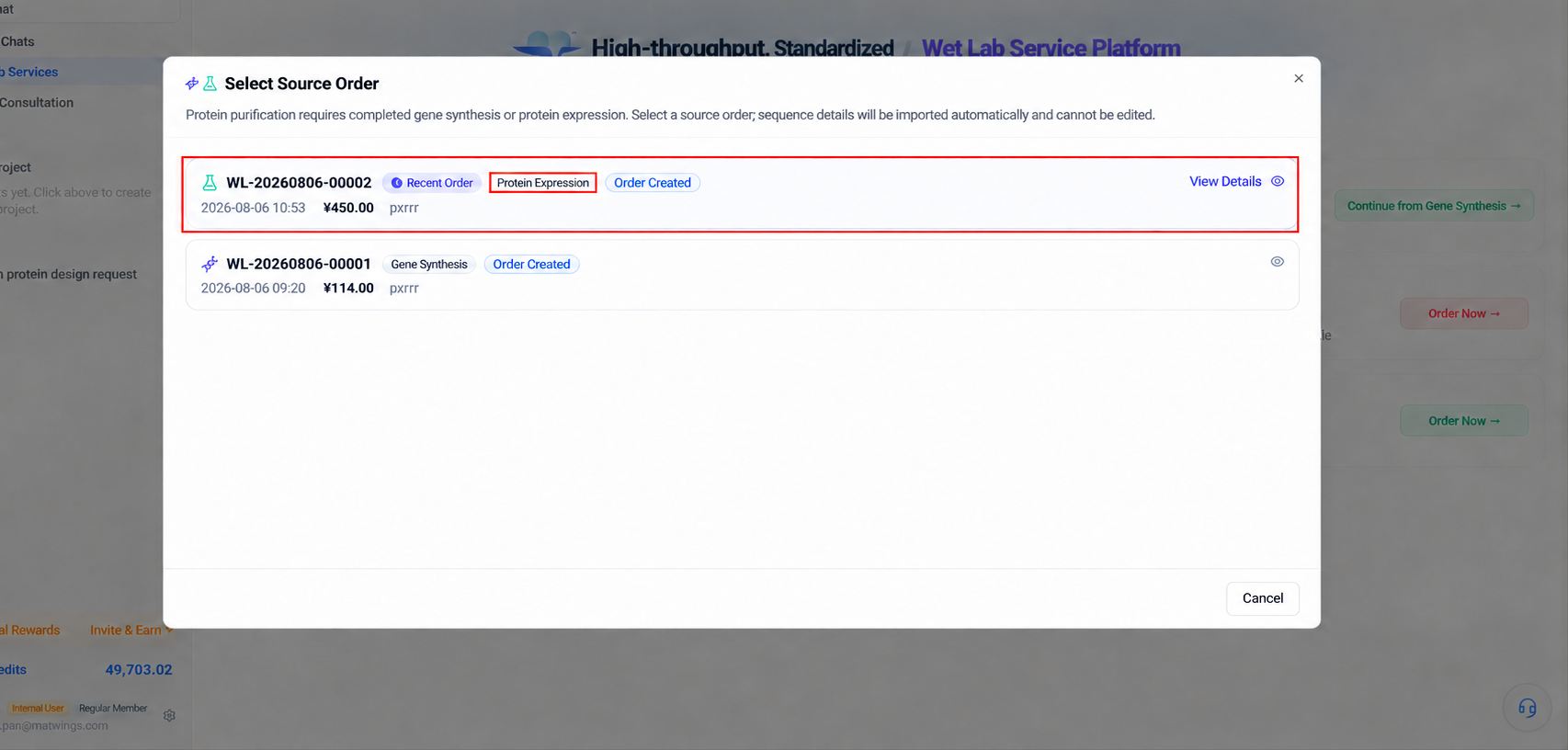
Do not choose the source by creation time alone. Similarly named orders may differ in sequence, tags, or expression batch.
Before you start
| Information | What to prepare |
|---|---|
| Source order | Order number, service type, status, and upstream deliverables |
| Target protein | Name, sequence, database ID, and batch |
| Starting material | Sample type, volume, concentration, total amount, storage |
| Tag information | Tag type, terminus, and whether removal is needed |
| Purification goal | Purpose, target purity, concentration, and delivery amount |
| Quality requirements | Endotoxin, aggregation, activity, or other test conditions |
| Buffer | Composition, pH, salt, and necessary additives |
| Downstream use | Structural studies, binding assays, cell experiments, or other |
These shape the purification route, tests, sample-loss risk, and quote. When unsure, confirm the plan with the platform before submitting.
Confirm the target protein
After selecting a source order, first verify the target protein information the page brings in.
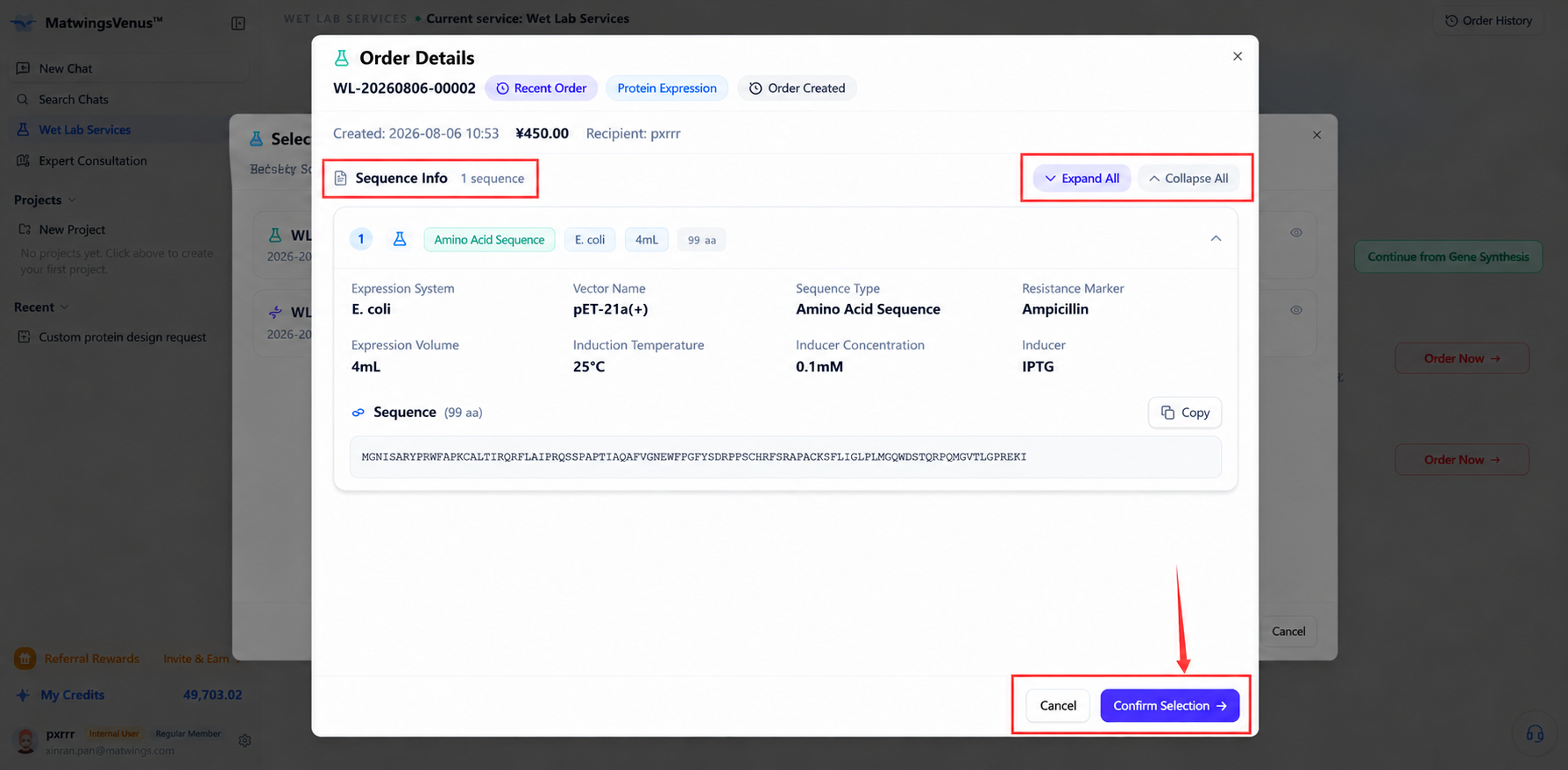
Focus on:
- Target protein name and sequence version.
- Species, construct, and source order.
- Expression tag and its terminus.
- Whether there are signal peptides, fusion partners, or cleavage sites.
- Whether the starting sample is supernatant, pellet, lysate, or other.
- Sample amount, concentration, and storage.
Auto-filled source-order information still needs manual review—wrong tags, host, or batch upstream directly corrupt the purification plan.
Configure purification parameters
Fill in the purification requirements based on the target protein and sample.
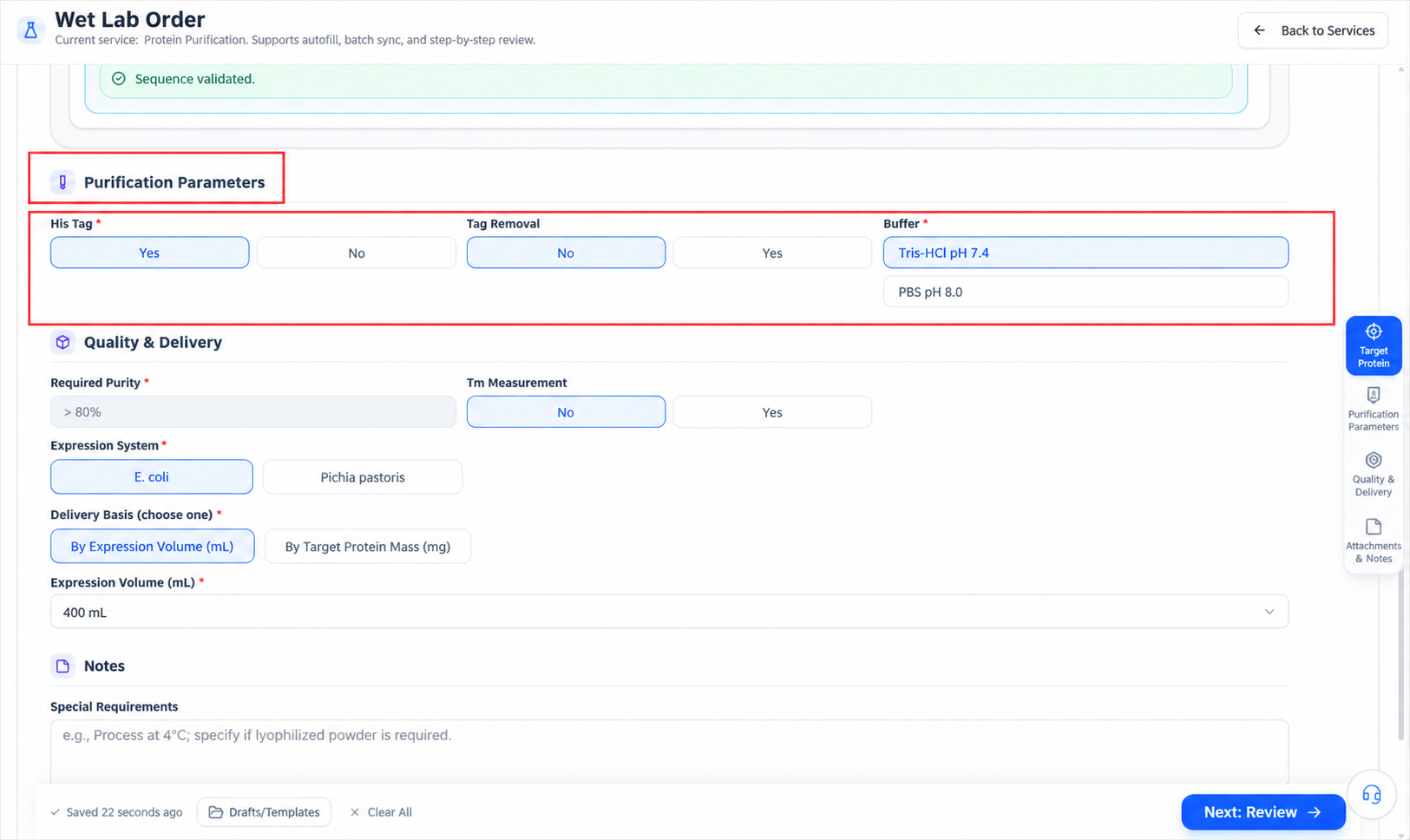
Make explicit where possible:
- The target purification method, or permission for the platform to recommend one.
- Whether to use the tag for affinity purification.
- Whether the tag must be removed, and the cleavage conditions.
- Whether refolding or other special handling is allowed.
- Target buffer and components that must not be used.
- Cold, light-protected, sterile, or other handling requirements.
Without solid grounds, do not fix a process just to finish the form. State goals and constraints and let the platform confirm the route before quoting.
Set quality and delivery requirements
Acceptance after purification should use measurable criteria.
| Requirement | Suggested wording |
|---|---|
| Purity | Target percentage plus the assay method |
| Concentration | Value, unit, and allowed range |
| Delivery amount | Total mass, volume, or the delivery form the page offers |
| Endotoxin | Threshold, unit, and downstream use |
| Aggregation | Whether monomer ratio or aggregation testing is needed |
| Activity | Whether functional testing is needed, and the method |
| Buffer | Composition, pH, salt, and additives |
| Aliquoting | Volume per tube, tube count, temperature, freeze-thaw limits |
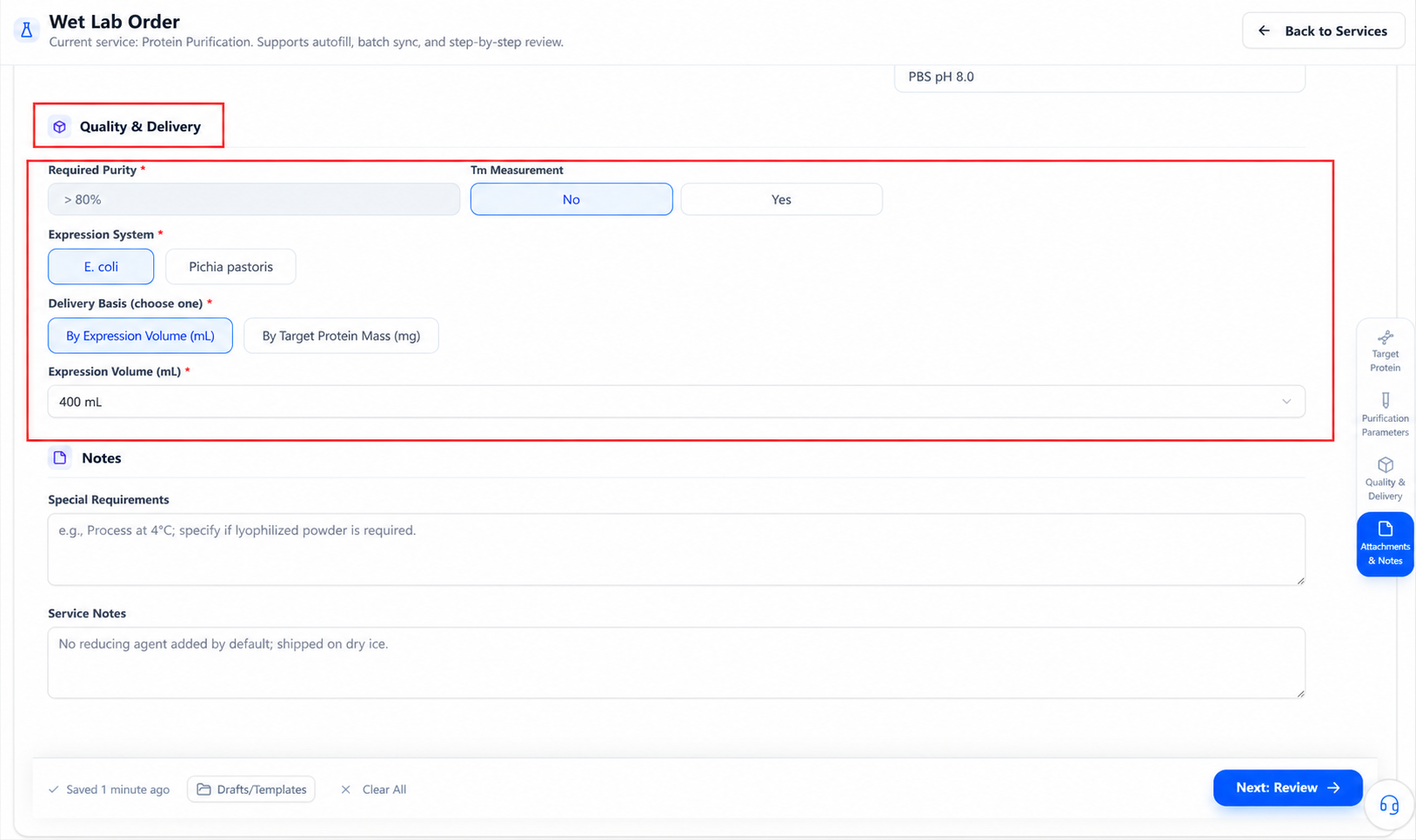
Descriptions like "high purity", "high concentration", or "for experiments" are not acceptance criteria. Add values, units, assay methods, and downstream use.
Enter information confirmation
After completing required fields, select the page's next-step button to enter confirmation.
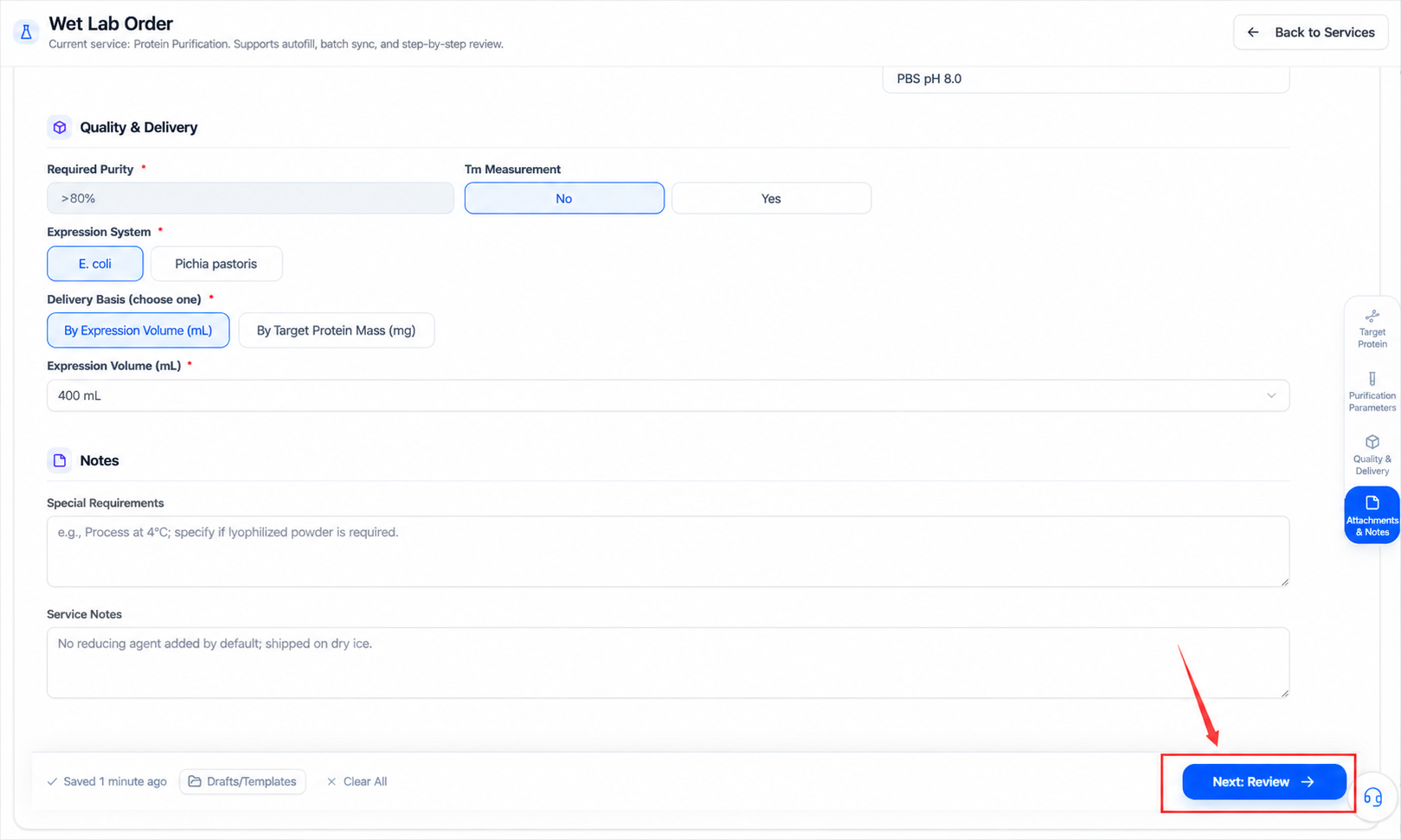
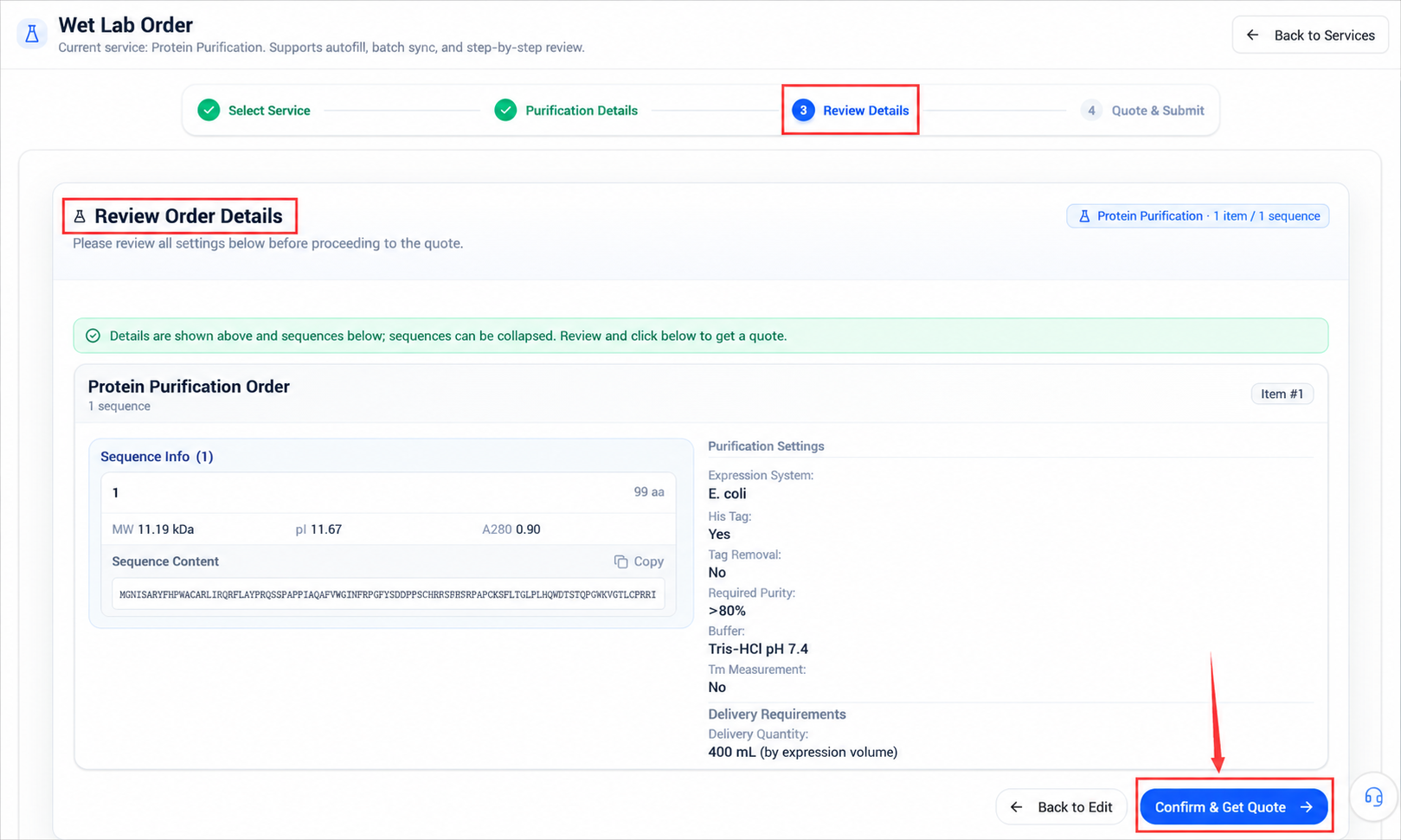
At confirmation, check:
- The source order and target protein correspond.
- Sample type, amount, and batch are correct.
- Tag handling matches the upstream construct.
- Purity, concentration, delivery amount, and assay methods are complete.
- Endotoxin, aggregation, and activity requirements match the application.
- Buffer, aliquoting, storage, and shipping requirements are clear.
Return and fix problems before entering the quote.
Quote and submission
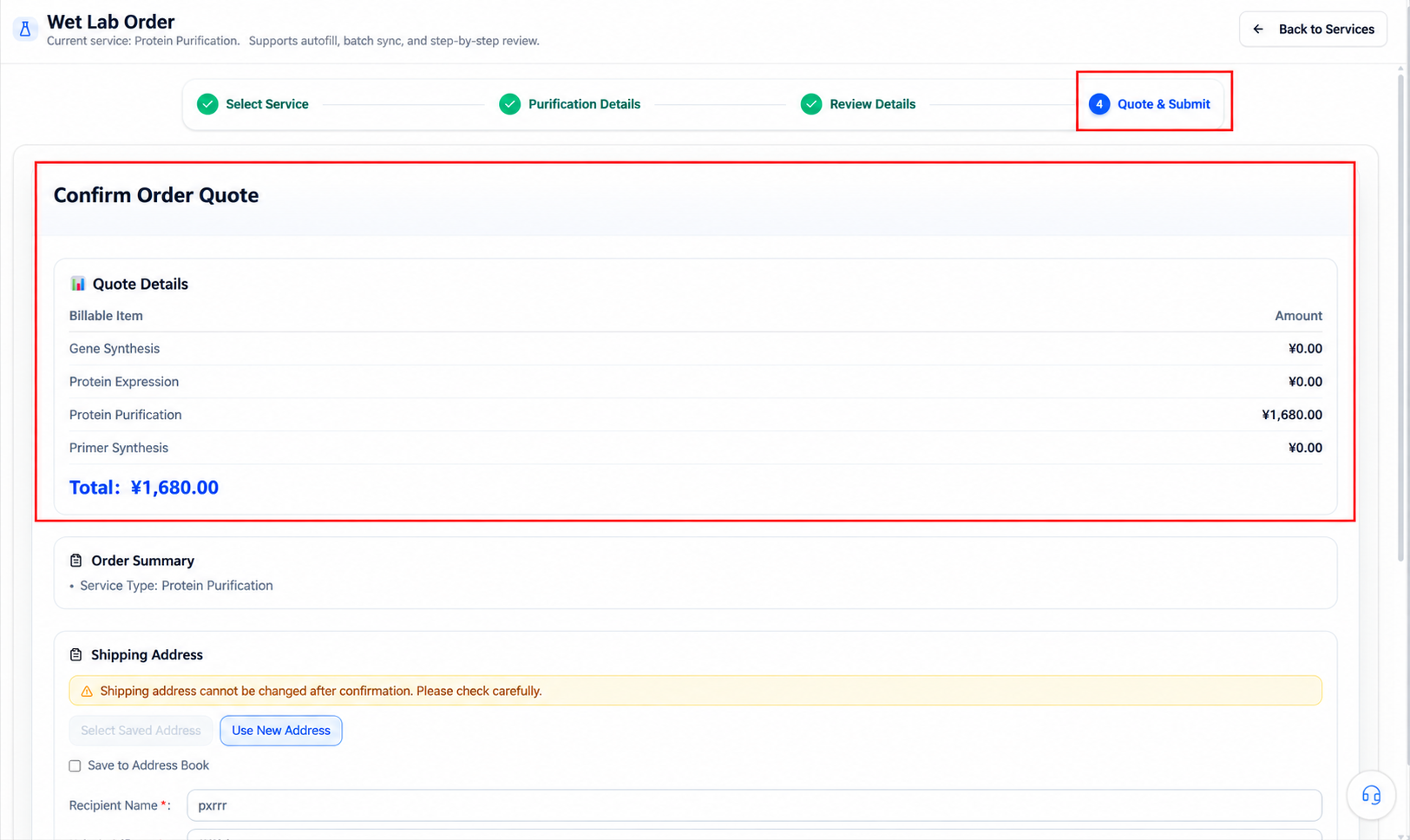
The purification plan, sample nature, quality standards, and test items all affect the quote and timeline. The confirmed quote and mutually agreed scope after information confirmation govern.
A source order is not a purification order
Selecting a source order only creates the upstream link. A business flow forms only after the purification form, information confirmation, quote confirmation, and final submission. Do not read the upstream order status as purification having started.
When no source order is available
If the button is disabled:
- Check whether the account has completed gene synthesis or protein expression orders.
- Check upstream order status in order history.
- Confirm the order belongs to the current account or organization.
- Complete gene synthesis or protein expression first, per your R&D stage.
- If you have external samples or cannot continue from a platform order, use other custom services or contact the platform.
Do not fabricate an upstream order to enable the button.
Troubleshooting the form
| Situation | How to check |
|---|---|
| Select source order to continue unavailable | Check for gene synthesis or expression orders meeting the status requirement |
| Source order list empty | Check account, organization, order type, and order status |
| Target protein information inconsistent | Return to the source order; verify sequence, tags, construct, and batch |
| Unsure of the purification method | State goals and constraints; ask the platform to confirm before quoting |
| Cannot fill in quality requirements | Add values, units, assay methods, and downstream use |
| Standard form cannot take external samples | Use other custom services or confirm with the platform |
| Cannot enter confirmation | Check all required fields, units, and the source-order link |
For status and progress after a purification order is created, see Order workflow and status.